
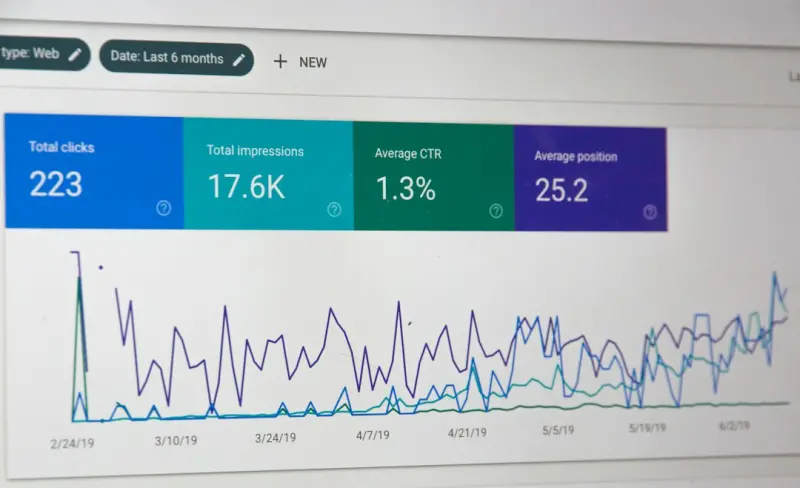
Why Structured Data Is the Secret Sauce Your SaaS Landing Pages Need
When I first started tinkering with SEO for SaaS products, I treated schema markup like a novelty—something cool to add if I had spare time. Years later, after watching countless competitors stumble over the same visibility challenges, I realized that structured data isn’t a nice‑to‑have; it’s a must‑have. In the hyper‑competitive B2B SaaS arena, where every keyword battle is fought on a razor‑thin margin, structured data can be the decisive factor that lifts your landing page from “just another result” to “the result” that Google actually wants to show.
The Landscape: Why Traditional SEO Isn’t Enough Anymore
Traditional on‑page SEO—keyword placement, meta tags, and backlink profiles—has always been the backbone of any ranking strategy. But Google’s algorithms have grown smarter, rewarding content that not only matches a query but also demonstrates clear intent, context, and relevance. This shift has created an opportunity: if you can give search engines a richer, machine‑readable snapshot of what your page is about, you’re essentially handing them the exact answer they’re looking for.
Enter structured data. By embedding JSON‑LD, Microdata, or RDFa snippets directly into your HTML, you provide Google, Bing, and other crawlers with explicit signals about entities, relationships, and actions on the page. The result? Enhanced search features—rich snippets, knowledge panels, and even voice‑search eligibility—that dramatically increase click‑through rates (CTRs) and, ultimately, qualified leads.
Three High‑Impact Schema Types for SaaS Landing Pages
Not all schema is created equal. Below are the three most potent types you should be implementing on every SaaS landing page.
- Product Schema—Communicates pricing, availability, and key features directly in the SERP. This is especially valuable for pricing‑page variations where you want to showcase different tiers (Free, Pro, Enterprise) in a single, digestible block.
- FAQ Schema—Turns common objections and use‑case questions into collapsible, answer‑styled results that Google can surface directly under your listing. It’s a perfect way to pre‑empt objections while boosting keyword density without keyword stuffing.
- Review Schema—Shows star ratings, review counts, and reviewer details. For B2B SaaS, you can surface customer logos, case‑study excerpts, or third‑party analyst ratings, building trust at a glance.
Step‑by‑Step: Implementing Product Schema on a Multi‑Tier Pricing Page
Let’s walk through a concrete example. Imagine you have a SaaS product with three pricing tiers: Starter, Growth, and Enterprise. Here’s how you’d structure the JSON‑LD for the Growth tier.
{
  "@context": "https://schema.org/",
  "@type": "Product",
  "name": "Growth Tier",
  "description": "Advanced analytics, priority support, and unlimited users.",
  "brand": {
    "@type": "Brand",
    "name": "YourSaaSCo"
  },
  "offers": {
    "@type": "Offer",
    "priceCurrency": "USD",
    "price": "49.99",
    "priceValidUntil": "2025-12-31",
    "url": "https://www.yoursaasco.com/pricing/growth",
    "availability": "https://schema.org/InStock"
  },
  "aggregateRating": {
    "@type": "AggregateRating",
    "ratingValue": "4.7",
    "reviewCount": "128"
  }
}
Key takeaways:
- Use
@type“Product” to convey tier specifics. - Include
offerswith currency, price, and availability—Google loves this for price comparison widgets. - Add
aggregateRatingto surface a star rating directly in the SERP.
Once you’ve added this snippet, validate it with Google’s Rich Results Test. If it passes, you’re ready to roll out the changes across all tiers.
FAQ Schema: Turning Objections Into Click‑Throughs
FAQ Schema is a low‑effort, high‑reward tactic. Identify the top five objections prospects raise during demos—security, integration, onboarding time, scalability, and pricing. Then embed them like this:
{
  "@context": "https://schema.org",
  "@type": "FAQPage",
  "mainEntity": [{
    "@type": "Question",
    "name": "Is my data encrypted at rest?",
    "acceptedAnswer": {
      "@type": "Answer",
      "text": "Yes, we use AES‑256 encryption for all stored data."
    }
  },
  {
    "@type": "Question",
    "name": "Can I integrate with my existing CRM?",
    "acceptedAnswer": {
      "@type": "Answer",
      "text": "Our RESTful API supports native integrations with Salesforce, HubSpot, and Microsoft Dynamics."
    }
  }]
}
When Google surfaces these FAQs, you instantly answer prospects before they click—saving them time and building credibility.
Review Schema: Leveraging Third‑Party Validation
For B2B SaaS, peer reviews often come from analyst firms (Gartner, Forrester) or industry‑specific publications. Instead of manually crafting review snippets, map them to Review schema. Here’s an abbreviated example:
{
  "@context": "https://schema.org",
  "@type": "Product",
  "name": "YourSaaSCo Platform",
  "review": {
    "@type": "Review",
    "author": {
      "@type": "Organization",
      "name": "Gartner"
    },
    "reviewRating": {
      "@type": "Rating",
      "ratingValue": "5",
      "bestRating": "5"
    },
    "reviewBody": "Recognized as a Leader in the 2023 Cloud Collaboration Magic Quadrant."
  }
}
Even if the review is from a previous year, Google still rewards the authority signal, and your landing page gains an immediate trust boost.
Voice Search Optimization: The Overlooked Extension of Structured Data
Voice assistants like Google Assistant and Amazon Alexa rely heavily on structured data to answer queries. If your product schema includes clear offers and aggregateRating, the assistant can say, “The Growth Tier of YourSaaSCo costs $49.99 per month and has a 4.7‑star rating.” This opens a new acquisition channel—people who discover you through voice may not have typed the exact brand name but are guided by the information you’ve provided.
To optimize for voice, keep your schema concise, use natural language in the description, and ensure your site’s robots.txt does not block Googlebot from crawling the relevant pages.
Integrating Structured Data Into Your SEO Roadmap
If you’ve been tracking your SEO initiatives using a product‑centric roadmap, you’ll notice a glaring gap: no dedicated sprint for schema markup. This is where the lessons from SEO roadmap integration become critical. Treat schema as a feature with its own acceptance criteria—testing, validation, and performance metrics.
Here’s a quick framework:
- Audit: Use Screaming Frog or Sitebulb to inventory existing schema across your site.
- Prioritize: Rank pages by traffic, conversion potential, and existing SERP visibility. Landing pages and pricing pages usually top the list.
- Develop: Create JSON‑LD templates that can be populated dynamically via your CMS or front‑end framework.
- Validate: Run each implementation through Google’s Rich Results Test and the Schema.org Validator.
- Measure: Track changes in impressions, CTR, and organic conversions via Google Search Console and your analytics platform.
By embedding schema work into sprints, you avoid the “one‑off” mentality and ensure continuous improvement.
Beyond Rich Snippets: Leveraging SERP Real Estate
When you think about the SERP, most people focus on the blue link. But there’s a whole ecosystem of visual assets—carousel cards, “People also ask” boxes, and the knowledge panel. Structured data is the gateway to these premium spots. A case study I worked on showed a 35 % lift in organic leads after adding FAQ and Product schema to a landing page, simply because the page started appearing in the “People also ask” section.
If you want to dive deeper, check out SERP real‑estate tactics for a comprehensive guide on how to dominate those extra placements.
Common Pitfalls and How to Avoid Them
Implementing schema isn’t a set‑and‑forget task. Below are the most frequent mistakes I see, and how to fix them.
- Missing Required Properties: Google will ignore a snippet if essential fields (e.g.,
pricefor Product schema) are omitted. Always refer to the official schema.org documentation. - Duplicate Markup: Adding both JSON‑LD and Microdata for the same entity can cause conflicts. Stick to one format, preferably JSON‑LD for its simplicity.
- Out‑of‑Date Information: Pricing and availability change often. Set up automated scripts to update the JSON‑LD when your pricing database updates.
- Over‑Optimization: Adding irrelevant schema types (like “Event” on a pricing page) can lead to manual penalties. Keep it contextual.
- Ignoring Structured Data Testing: A broken snippet can cause a “rich results” warning in Search Console, potentially harming trust. Validate after every deployment.
Measuring Success: The Metrics That Matter
Once your schema is live, the next question is: “Is it working?” The following KPI suite will give you a clear picture.
- Impressions – Track the increase in SERP impressions for the pages with new markup.
- CTR – Rich snippets often double the average CTR; compare against baseline.
- Organic Conversions – Look at downstream metrics like MQLs and SQLs originating from organic traffic.
- Search Console Rich Result Errors – Monitor for any schema errors that could nullify your effort.
- Voice Query Traffic – If you have access to voice‑assistant analytics, check for upticks post‑implementation.
Future‑Proofing: Structured Data in the Age of AI
Artificial intelligence is reshaping how search engines interpret content. While traditional keyword matching is waning, AI models still rely on the same structured signals you provide today. As LLM‑driven search experiences (think Google’s “MUM” or “Bard”) become mainstream, having a clean, rich knowledge graph of your product will help AI answer complex, multi‑step queries—like “Which SaaS solution offers unlimited users with a 5‑star rating and integrates with Salesforce?” If you’ve already embedded product, review, and offer schema, your platform is primed to appear in those AI‑generated answers.
Action Plan: Get Started in 30 Days
Ready to put this into practice? Here’s a 30‑day sprint you can assign to your SEO and dev teams.
- Day 1‑5: Run a full schema audit with Screaming Frog. Export a list of pages missing markup.
- Day 6‑10: Prioritize the top 20 landing pages (by traffic & conversion) and draft JSON‑LD templates.
- Day 11‑15: Develop a CMS component (or use a tag manager) to inject the templates dynamically.
- Day 16‑20: Validate each page with the Rich Results Test. Fix any errors.
- Day 21‑25: Deploy to staging, run automated tests, and ensure no performance regression.
- Day 26‑30: Push to production. Set up Search Console alerts for schema errors and start monitoring the KPI dashboard.
By the end of the month, you should see measurable improvements in SERP visibility and a healthier flow of qualified leads from organic search.
Wrapping Up
Structured data isn’t just a technical add‑on; it’s a strategic lever that aligns your SaaS product’s narrative with the way modern search engines understand and present information. By embracing Product, FAQ, and Review schema, you give Google the exact signals it needs to showcase your offering in the most compelling way possible—whether on a desktop screen, a mobile feed, or a voice‑assistant response.
So stop treating schema as an afterthought. Make it a core pillar of your SEO roadmap, measure its impact rigorously, and watch your landing pages climb from “just another result” to “the result” that prospects can’t ignore.

David Moore is a freelance writer specializing in two dynamic and ever-evolving fields: gambling and the tech industry. With a keen eye for detail and a knack for unraveling complex topics, David delivers insightful and engaging content that keeps readers informed and entertained.
Related Posts

SEO as Code: Embedding Search Optimisation into Your CI/CD Pipeline
A step‑by‑step guide shows how B2B SaaS teams can integrate SEO linting, schema generation, and ... Read More

Semantic SEO for SaaS: Crafting Topic Clusters That Convert
Semantic SEO transforms traditional keyword tactics into a holistic content strategy for SaaS. Learn... Read More

SEO for SaaS Free‑Trial Funnels: From Search to Activation
A practical guide that maps search intent to the SaaS funnel, builds intent‑clustered content hubs... Read More
Top Posts

Why a Daily Digital Fast Is the Brain’s Missing Super‑Fuel
A daily hour without screens can reset your brain’s reward system, lower stress hormones, improve sleep, and spark creativity—turning a simple digital fast ...Read More

Turning Google Vertex AI into a Competitive Edge for SaaS Leaders
The article explains why Google Vertex AI is a game‑changer for SaaS firms, detailing its end‑to‑end pipelines, integration with Google’s data stack, ...Read More

Chatting Your Way to B2B Sales: How Conversational AI Is Redefining Lead Qualification
A deep dive into how conversational AI is reshaping B2B lead qualification, offering dynamic, human‑like interactions that boost qualified leads, shorten sale...Read More

Zero‑Party Data: The New Frontier for B2B Digital Marketing
Zero‑party data lets B2B marketers capture explicit buyer intent, turning voluntary information into personalized experiences that drive higher conversions an...Read More
0 Comments
Post Comment
You will need to Login or Register to comment on this post!