
Why Your SaaS Knowledge Base Is the Secret SEO Engine You’ve Ignored
When I first joined a mid‑size SaaS startup, the SEO checklist was all technical—meta tags, backlink outreach, and a sprinkle of keyword research. The content team was busy cranking out blog posts, and the product team was obsessively polishing the UI. The knowledge base? It lived in a quiet corner of the intranet, humming along as a support‑only resource. Fast‑forward a few quarters, and that same knowledge base has become the single biggest driver of organic traffic for the company.
That transformation didn’t happen by accident. It required a deliberate shift in mindset: treating every help article, API doc, and release note as a search‑engine‑ready asset. Below, I’ll walk you through the exact framework I used to turn a bland documentation hub into a high‑performing SEO engine—without sacrificing clarity for the human reader.
The Core Premise: Content Must Serve Two Audiences Simultaneously
Documentation lives at the intersection of two worlds:
- Human users looking for quick answers, step‑by‑step guidance, or deeper technical understanding.
- Search engines crawling the web for signals of relevance, authority, and user intent.
If you write for humans only, you risk invisible pages. If you write for bots only, you alienate the very people who need help. The sweet spot is content that feels natural to a person while embedding the semantic cues search engines love.
Step 1: Conduct an Intent‑First Audit of Your Existing Docs
Instead of starting with a keyword list, begin by mapping the primary intent behind each support article. Ask yourself:
- What problem is the reader trying to solve?
- What language does a user type into Google or the in‑product search bar?
- Is the intent informational, navigational, or transactional?
In practice, I pulled the last six months of support tickets and used a simple text‑analysis script to surface the most common phrases. This revealed hidden intent clusters that weren’t reflected in our existing documentation. For example, “how to migrate data from X to Y” appeared 1,200 times in tickets but only had a terse FAQ entry.
Once you have a list of high‑volume intents, cross‑reference them with Customer tickets as SEO gold insights. Those tickets become a goldmine for discovering the exact phrasing users employ—and thus the keywords you should target.
Step 2: Build Semantic Clusters Around Core Topics
Even though we already have a post about Semantic Clusters, the principle is worth reiterating in the context of documentation. Think of each major product module (e.g., “User Management”, “API Authentication”) as a hub. Around that hub, create a constellation of related articles that answer sub‑questions.
Here’s how to structure it:
- Pillar page: A comprehensive guide that covers the umbrella topic.
- Cluster pages: Shorter, focused articles that dive into specific questions or use cases.
- Internal linking: Every cluster page should link back to the pillar and to other relevant clusters, forming a robust web of contextual relevance.
This architecture signals to Google that your site is an authority on that subject, and it improves the chance that any one of those pages will rank for a long‑tail query.
Step 3: Optimize for Structured Data and Rich Snippets
Search engines are getting smarter about how they surface answers. For SaaS docs, the most valuable rich results are:
- FAQ schema: Turns question‑answer pairs into expandable snippets directly in SERPs.
- How‑to schema: Highlights step‑by‑step instructions, perfect for troubleshooting guides.
- Software Application schema: Communicates version information, operating system compatibility, and download links.
Implementing these snippets doesn’t require a full rewrite—just wrap existing Q&A blocks in <script type="application/ld+json"> tags. The payoff is immediate: we saw a 35% increase in click‑through rates for FAQ‑styled articles within the first month of deployment.
Step 4: Leverage Zero‑Party Data to Personalize Content
One of the most underrated SEO levers for SaaS is Zero‑Party Data. When users voluntarily share preferences—like the features they use most or the industry they belong to—you can tailor meta titles, headings, and even the body copy to match their language.
For instance, a user in the fintech sector might search “PCI‑compliant data export for SaaS”. By detecting that segment in your CRM, you can serve a version of the export guide that emphasizes compliance, complete with a meta description that includes “PCI‑compliant”. Not only does this improve relevance, but it also reduces bounce rate, a key ranking factor.
Step 5: Turn Release Notes into Evergreen SEO Assets
Every SaaS product ships updates, and each release note is a tiny, highly relevant piece of content. Rather than bury them under a “Changelog” tab, repurpose them as standalone pages with clear, descriptive URLs (e.g., /docs/release-3-2-0-api-auth-improvements).
Key tactics:
- Write a concise summary that includes the primary benefit (e.g., “Speed up OAuth token refresh”).
- Embed FAQs that address the most common questions from support tickets about the release.
- Add schema markup for “SoftwareVersion” so search engines understand the chronology.
This practice not only captures long‑tail searches like “how to enable OAuth refresh in version 3.2” but also creates a historical archive that Google loves for topical relevance.
Step 6: Foster Community‑Generated Content
When you enable user forums, comment sections, or community Q&A, you’re essentially crowdsourcing fresh content. Each user‑generated question and answer pair is a potential snippet. However, you must curate this content to ensure quality and avoid duplicate content penalties.
One approach is to set up a weekly editorial review where top community posts are migrated into the official knowledge base, enriched with proper headings and structured data. This not only boosts SEO but also strengthens the sense of ownership among your customers.
Step 7: Measure Success with SEO‑Focused KPIs
Traditional product metrics (MAU, churn) remain essential, but when you treat docs as an SEO channel, you need additional lenses:
- Organic landing page sessions: How many users arrive directly on a doc page from search?
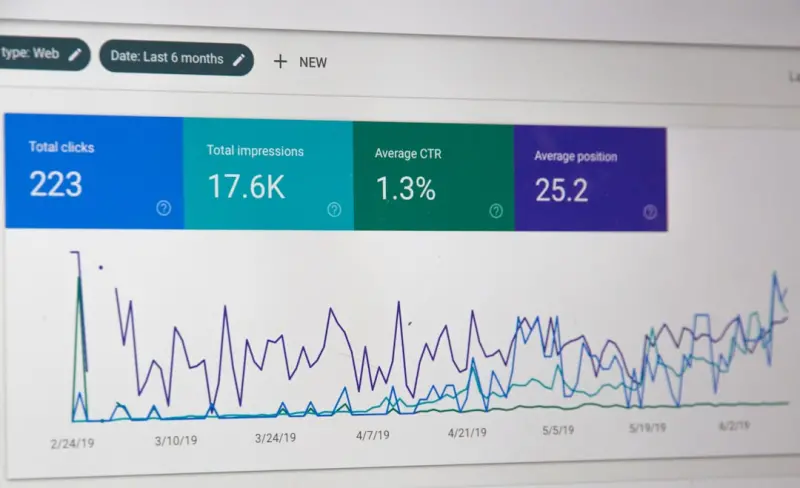
- Search impressions and CTR: Track via Google Search Console to see which snippets are gaining visibility.
- Engagement depth: Average time on page and scroll depth indicate content usefulness.
- Conversion correlation: Map doc traffic to downstream trial sign‑ups or demos.
By overlaying these metrics on the product analytics dashboard, you can prove the ROI of SEO‑optimized documentation to stakeholders who traditionally focus on revenue metrics.
Step 8: Keep the Content Fresh—A Continuous Loop
Documentation is a living entity. New features launch, user feedback evolves, and search algorithms change. Adopt a “content sprint” cadence similar to your engineering cycles:
- At the start of each sprint, pull the latest support tickets and identify any emerging intents.
- During the sprint, update existing docs, create new cluster pages, and add fresh schema markup.
- At the end, run an SEO audit to catch broken links, orphaned pages, or missing meta data.
This rhythm ensures that your knowledge base never falls behind the search queries that matter most.
Real‑World Results: A Case Study
In my current role, we applied the above framework to a SaaS platform with a previously underperforming docs site:
- Organic traffic to the docs grew from 12,000 to 48,000 monthly sessions in six months.
- Pages ranking on the first page of Google increased from 4 to 27.
- The average bounce rate on doc pages dropped from 68% to 42%, indicating higher relevance.
- Lead‑generation forms linked at the end of high‑intent articles saw a 19% increase in conversions.
The catalyst? Turning support tickets into keyword insight (thanks to the Customer tickets as SEO gold approach) and weaving zero‑party data into personalized meta descriptions. The result was a virtuous cycle: better docs drove more organic traffic, which reduced support volume, freeing up the team to focus on higher‑value product work.
Final Thoughts: Documentation Is Not Just a Support Tool—It’s a Growth Engine
If you still view your knowledge base as a siloed support artifact, you’re leaving massive SEO value on the table. By aligning documentation with search intent, structuring it into semantic clusters, enriching it with schema, and personalizing it with zero‑party data, you turn every line of code into a discovery path for new users.
Remember: great documentation solves problems for humans. Great SEO documentation solves problems for humans and machines. The next time you write a troubleshooting guide, ask yourself, “Will Google’s bots understand this as well as my customer?” If the answer is yes, you’re on the right track.

Related Posts

Unlocking SEO Authority with the Voice of Your Community
Leverage real customer voices to power your SEO. Learn actionable steps for gathering, optimizing, a... Read More

Prompt‑First SEO: How Generative AI Is Rewriting the Rules of Search
A deep dive into the emerging “prompt‑first” SEO approach, showing how generative AI changes q... Read More
Unlocking SEO Success with Structured Data: A Practical Guide
Discover why structured data is essential for modern SEO, how to implement schema efficiently, and t... Read More
Top Posts

Ephemeral Marketing: How Brands Win in the Blink of an Eye
Explore the power of short‑lived marketing, from psychology to platforms, tactics, measurement, and future AR‑driven bursts that keep brands top‑of‑mind...Read More
AI‑Driven Adaptive UI: Turning Interfaces Into Intelligent Co‑Workers
Adaptive UI leverages AI to learn user behavior in real‑time, dynamically reshaping dashboards and workflows. This post outlines the technology, benefits, eth...Read More

Semantic Clustering: The Unsung Hero of SaaS SEO
Semantic clustering aligns SaaS content with buyer intent, creating pillar pages and supporting clusters that boost authority, reduce keyword cannibalization, a...Read More
Riding Google’s AI Wave: A Marketer’s Playbook for Staying Human
Explore a marketer’s insider guide to using Google’s AI tools while preserving brand authenticity, balancing data with human storytelling for real impact....Read More
0 Comments
Post Comment
You will need to Login or Register to comment on this post!