
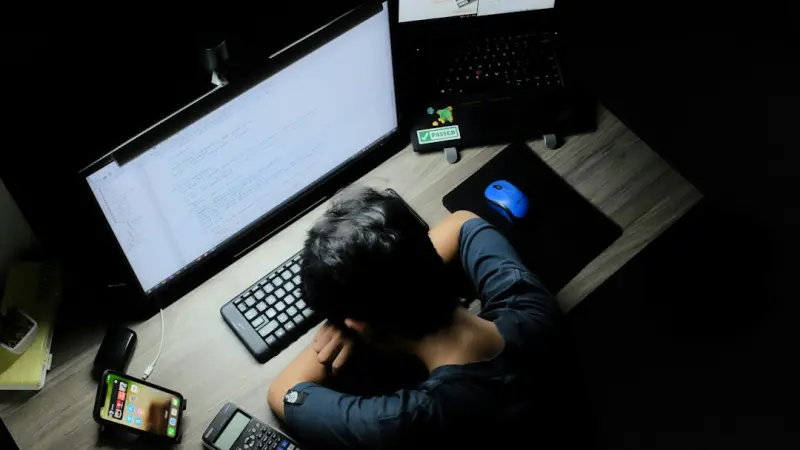
Why Screen Fatigue Is the Quiet Health Crisis No One Is Talking About
When I first started consulting for tech companies, the biggest health conversation I heard was about ergonomics—adjustable chairs, standing desks, and the occasional reminder to stretch. Fast forward a few years, and the office has migrated to the living room, the kitchen table, and even the bathroom. The new “office” is a collection of screens that follow us everywhere we go. As a result, a subtle but powerful form of exhaustion has emerged: screen fatigue.
Screen fatigue isn’t just an eye‑strain issue; it’s a systemic drain on mental clarity, emotional stability, and even our physiological rhythms. If you’ve ever felt a lingering headache after a marathon Zoom session, a nagging sense of anxiety after scrolling through endless Slack threads, or the inability to wind down because your phone still glows in the dark, you’ve already experienced the first stages of this epidemic.
The Anatomy of Digital Overload
Our brains evolved to process intermittent, low‑frequency stimuli—think conversations around a fire, the rustle of leaves, or the occasional burst of sunlight. Modern devices, however, bombard us with high‑frequency visual and auditory cues that keep our nervous system in a state of perpetual alert.
- Visual flicker: Even the most advanced OLED panels flicker at frequencies that can trigger migraines in sensitive individuals.
- Blue‑light exposure: Disrupts melatonin production, delaying the onset of sleep and fragmenting REM cycles.
- Notification cascade: Each ping forces a micro‑decision—read, dismiss, or act—draining cognitive bandwidth.
- Continuous multitasking: Switching between tabs, apps, and devices creates a “cognitive residue” that never fully clears, leading to mental fog.
When these stressors stack, the result is a feedback loop: fatigue reduces focus, which in turn makes us more prone to missing critical cues, prompting even more frantic checking of devices.
Beyond Eye Strain: The Real Health Impacts
Research from neuroscience labs (the ones I keep an eye on for product design insights) shows that chronic screen exposure correlates with:
- Elevated cortisol levels: The “stress hormone” spikes after just 30 minutes of uninterrupted notification flow.
- Reduced heart‑rate variability (HRV): A marker of autonomic nervous system balance, indicating the body’s reduced ability to recover.
- Impaired gut microbiome: Late‑night screen sessions alter eating patterns, which can disturb the gut–brain axis.
- Degraded sleep architecture: Not just less sleep, but shallower deep‑sleep stages, leading to daytime drowsiness and impaired memory consolidation.
These physiological shifts may not be dramatic enough to land you in a hospital, but they erode performance, creativity, and long‑term wellbeing.
Why Traditional “Digital‑Detox” Advice Misses the Mark
Most corporate wellness programs hand out a one‑day “no‑device” weekend or a quarterly “email‑free” afternoon. While well‑intentioned, these interventions treat the symptom rather than the root cause. The problem isn’t that we use technology; it’s that we haven’t built sustainable habits around its use.
Think of a high‑performance car. You wouldn’t only service it once a year and expect it to run smoothly every day. You’d maintain the oil, check tire pressure, and calibrate the engine regularly. Our brains need the same kind of routine maintenance, especially when we’re in an environment that constantly pushes us to stay “on.”
Building a Resilient Digital Lifestyle: A Blueprint
Below is a practical framework that any professional—whether you’re a remote developer, a SaaS product manager, or a C‑suite leader—can adopt. It’s designed to be low‑friction, evidence‑based, and adaptable to the chaotic flow of modern work.
1. Create “Signal Sanctuaries”
Designate specific zones in your home (or office) where no visual notifications are allowed. These are not just “no‑phone” rules; they’re curated environments where the only cues are natural—light, sound, and tactile.
- Morning sanctuary: The first 30 minutes after waking, keep all screens off. Use this time for hydration, gentle movement, and a brief journaling exercise.
- Evening sanctuary: Switch off all devices at least one hour before bedtime. Replace screen time with analog activities—reading a physical book, playing a board game, or meditative breathing.
These sanctuaries act as “reset buttons” for your nervous system, allowing the brain to transition from high‑alert to restorative mode.
2. Adopt “Micro‑Pause” Protocols
Instead of waiting for a big break, embed short, intentional pauses throughout the day. The key is consistency, not duration.
- 5‑minute visual reset: Every 90 minutes, look away from the screen, focus on an object >20 feet away, and practice a few deep breaths. This reduces accommodative strain and resets the visual cortex.
- 2‑minute notification audit: Turn off non‑essential push notifications. When a notification does appear, ask yourself: “Is this urgent, or can I batch it for later?”
- 1‑minute posture check: Align your ears, shoulders, and hips. Simple, but it prevents the cascade of tension headaches that often accompany screen fatigue.
3. Leverage “Digital Hygiene” Tools—Intentionally
There’s a market full of apps that claim to block distractions. The secret is not the tool itself, but how you configure it.
For instance, use a tool that aggregates notification data and provides a daily report on your “interruptions per hour.” By visualizing the pattern, you can identify peak distraction windows and schedule focused work accordingly.
Another strategy is to set “focus windows” in your calendar that automatically silence incoming alerts, except for contacts marked as “critical.” This approach respects the need for urgent communication while protecting deep‑work periods.
4. Optimize Lighting and Ambient Conditions
The quality of light in your workspace can either amplify or mitigate screen fatigue.
- Warm, indirect lighting: Aim for a color temperature around 2700‑3000 K during evening hours. This mimics sunset and helps preserve melatonin production.
- Natural light exposure: Position your primary workstation near a window, and make a habit of stepping outside for at least 10 minutes every 2–3 hours.
- Screen filters: Use hardware filters that block blue wavelengths without altering color fidelity, especially for design‑heavy work.
5. Incorporate Physical Movement as a Cognitive Reset
Movement isn’t a luxury; it’s a neurochemical reset. Even a brief stretch can boost dopamine and clear the “cognitive residue” left by multitasking.
- Desk‑to‑stand cycles: Alternate between sitting and standing every 45 minutes. Use a timer to remind you.
- Micro‑walks: Walk to a colleague’s desk instead of sending an instant message. The change of scenery and physical activity improves information retention.
- Breath‑linked movement: Pair a 5‑minute walk with a breathing cadence (inhale for 4 steps, exhale for 4 steps). This synchronizes the autonomic nervous system.
6. Reframe “Productivity” Metrics
Traditional metrics (lines of code, emails sent, tickets closed) ignore the hidden cost of cognitive fatigue. Introduce “well‑being KPIs” into team dashboards, such as:
- Average focus session length before a micro‑pause.
- Number of screen‑free minutes logged per day.
- Self‑reported energy levels on a 1‑10 scale during daily stand‑ups.
When teams see the correlation between these metrics and output quality, the cultural shift toward sustainable work habits happens organically.
Case Study: How a Distributed SaaS Team Cut Burnout by 30%
One of my clients—a fully remote SaaS startup—was grappling with high turnover and self‑reported burnout. We implemented a pilot program based on the blueprint above:
- Established morning and evening sanctuaries across all home offices.
- Introduced a company‑wide “notification audit” using a custom dashboard that visualized interruption spikes.
- Implemented a “focus‑first” calendar policy, automatically silencing non‑critical alerts during designated blocks.
- Added a weekly “well‑being KPI” review to the sprint retrospective.
After three months, the team reported a 30% reduction in self‑rated burnout, a 15% increase in sprint velocity, and a measurable improvement in sleep quality (as recorded by wearable HRV data). The key takeaway? When you align health‑focused habits with business outcomes, you win on both fronts.
Future‑Proofing Your Digital Health
Technology will only become more immersive—augmented reality, brain‑computer interfaces, and always‑on IoT devices are on the horizon. The principles we’re laying down today—intentional boundaries, micro‑pauses, and data‑driven well‑being—will serve as a resilient scaffolding for whatever comes next.
In practice, this means continuously revisiting your “signal sanctuaries” as new devices enter the workspace, updating your pause protocols to match emerging interaction patterns, and staying vigilant about the physiological feedback loops that technology can trigger.
Take Action Today
Start small but be consistent. Pick one of the six pillars above, implement it for a week, and track the impact on your focus, energy, and sleep. Share your findings with teammates; you’ll likely spark a ripple effect that transforms the entire organization’s approach to digital health.
Remember: screen fatigue is not a badge of honor. It’s a silent alarm that your nervous system is pleading for balance. By listening and responding with intentional design—both in your physical environment and your workflow—you’ll reclaim the mental bandwidth needed to innovate, create, and thrive.
For a deeper dive into leveraging data to understand these habits, check out transform raw data into actionable insight. And if you’re curious about building greener tech foundations that support a healthier lifestyle, explore building greener tech foundations.

Shawn DesRochers is a certified Microsoft technician and Programmer with 30+ year's experience. He has written many reviews on computer related products, software, and SEO related topics. When he's not writing reviews he can be found at one of the Oldest Directories Online Business Directory USA which he is the CEO of.
Related Posts

Micro‑Movements: Tiny Physical Hacks to Boost Office Health
Micro‑movements—brief, intentional motions performed throughout the workday—offer a powerful, ... Read More

Embracing Forest Bathing: A Modern Path to Natural Healing
Explore the science behind forest bathing, learn simple ways to bring nature into your home, and see... Read More

Forest Bathing for Remote Professionals: Rewilding Your Workday
Explore the science behind forest bathing, learn actionable steps to integrate nature into your remo... Read More
Top Posts
Entity‑First SEO: How SaaS Brands Can Own Their Digital Neighborhood
A fresh look at SEO for SaaS: move beyond keywords to an entity‑first strategy that leverages structured data, semantic clustering, and AI‑assisted mapping ...Read More
Why Digital Twins Are the Secret Weapon for Scaling B2B SaaS
Digital twins let B2B SaaS firms simulate their platforms in real time, enabling proactive performance tuning, cost‑aware scaling, and risk‑free experimenta...Read More
Semantic Topic Clusters: A Fresh Playbook for B2B SaaS SEO
Learn why shifting from isolated keywords to semantic topic clusters is the new SEO strategy for B2B SaaS, with step‑by‑step guidance, ABM integration tips,...Read More
From Funnels to Flywheels: Rethinking B2B Customer Journeys
Traditional B2B funnels are giving way to a flywheel approach that prioritizes attraction, engagement, and delight. Learn how to map the circular journey, lever...Read More
0 Comments
Post Comment
You will need to Login or Register to comment on this post!