

Why a Dedicated Home Office Nook Matters More Than You Think
When the kitchen table doubles as a laptop desk and the couch becomes a conference‑room, you’ll notice a subtle but steady drain on your focus, energy, and overall well‑being. I’ve spent countless afternoons wrestling with cluttered cords, flickering fluorescent lights, and the occasional dog‑bark that turns a video call into a comedy sketch. Over time, I realized that the solution isn’t just “working harder” – it’s designing a small, intentional space that tells my brain, “It’s time to get serious.”
Creating a focus‑friendly home office nook isn’t about splurging on a full‑size executive suite; it’s about making strategic, low‑cost adjustments that turn a spare corner into a productivity powerhouse. Below, I walk you through every decision point, from the moment you choose a spot to the daily habits that keep the nook humming.
1. Scout the Perfect Spot – Less Is More
Start by mapping out the rooms you use most. Look for:
- Natural Light: A window that receives at least a few hours of indirect sunlight. It boosts mood and reduces eye strain.
- Foot Traffic Flow: Choose a corner that isn’t a high‑traffic thoroughfare. You don’t want a hallway that constantly interrupts your rhythm.
- Power Access: Proximity to an outlet (or a surge‑protected power strip) saves you from tripping over extension cords.
If you have a living room that feels too open, consider a room divider or a tall bookshelf turned sideways. It creates visual separation without sacrificing floor space.
2. Light It Right – Harness Daylight and Add Smart Ambient Glow
Natural light is a productivity booster, but you also need a reliable artificial source for evenings and overcast days.
- Task Light: A 4000‑5000 K LED desk lamp with adjustable brightness lets you fine‑tune illumination. Look for a lamp with a pivoting arm so you can angle it exactly where you need it.
- Ambient Light: A warm‑hued floor lamp or wall sconce reduces glare from your screen. I love using a dimmable lamp that syncs with my smart home routine, automatically dimming as the sun sets.
Tip: Position your monitor about a foot away from windows to avoid glare. If you can’t move the screen, an anti‑glare screen protector does wonders.
3. Choose Furniture That Serves Dual Purposes
When square footage is at a premium, every piece must earn its keep.
- Compact Desk: A wall‑mounted fold‑down desk or a narrow console can slide under a window, freeing floor space when not in use.
- Ergonomic Chair: Invest in a chair with lumbar support and height adjustability. You’ll thank yourself during those marathon brainstorming sessions.
- Multi‑Functional Storage: A small filing cabinet that doubles as a side table keeps documents, pens, and tech accessories within arm’s reach.
Remember, a sturdy chair beats a cheap cushion any day – your back will thank you later.
4. Smart Storage Hacks – Keep the Clutter at Bay
Clutter is the silent assassin of focus. Here are three storage ideas that fit in tight spaces:
- Vertical File Racks: Mount a slim, vertical file organizer on the wall above your desk. It holds pending paperwork, notebooks, and even a few magazines without eating into the desk surface.
- Cable Management Boxes: A discreet box that houses power strips and excess cords keeps the floor tidy and reduces trip hazards.
- Under‑Desk Drawers: Slide‑out drawers that fit beneath the desk surface provide a hidden spot for chargers, mouse pads, and stationery.
If you’re concerned about energy consumption, check out Everyday Energy Wins: Simple Home Tweaks That Cut Bills and Carbon for quick ways to make your office nook more efficient.
5. Noise Management – Quiet the World, Not Just the Office
Even the best lighting and furniture can’t rescue you from a noisy environment. If you live in a bustling street or share the home with kids, you’ll need to address sound.
- Soft Furnishings: A thick rug, heavy curtains, and upholstered chairs absorb ambient noise.
- DIY Acoustic Panels: Frame a few canvas panels, cover them with acoustic foam, and hang them on the wall behind your monitor. They’re affordable and effective.
- White Noise: A small tabletop white‑noise machine or a phone app can mask disruptive sounds.
For a deeper dive on budget‑friendly solutions, see Quiet Revolution: Soundproofing Your Home on a Budget. Even a single door sweep can make a noticeable difference.
6. Keep It Green – Energy‑Smart Practices for Your Nook
Beyond lighting, there are subtle ways to keep the nook eco‑friendly and cost‑effective:
- Power Strips with Auto‑Off: Set a timer so devices power down after work hours.
- Energy‑Star Monitors: If you’re upgrading, choose a monitor with an Energy‑Star rating; they use up to 30% less power.
- Eco‑Friendly Materials: Bamboo desk accessories or reclaimed‑wood shelves add character without the carbon footprint.
These tweaks add up, especially when you’re running your office daily.
7. Personalize Without Distraction
Injecting personality keeps the space inviting, but over‑decorating can become a visual noise.
- One Statement Piece: A single piece of artwork, a plant, or a decorative lamp gives the nook character.
- Plants for Air Quality: A small snake plant or pothos not only looks good but improves indoor air quality – a win‑win for focus.
- Color Palette: Stick to muted, soothing tones for walls and furniture; add pops of color through accessories like a notebook or a mug.
Remember, the goal is a space that feels “yours” while still promoting concentration.
8. Daily Routines to Maintain Your Nook’s Magic
Even the most thoughtfully designed nook can devolve into chaos if you don’t maintain it. Adopt these quick habits:
- End‑of‑Day Reset: Spend five minutes clearing the desk, putting away pens, and shutting down devices.
- Weekly Declutter Sweep: Remove any papers that have accumulated, file what you need, and recycle the rest.
- Monthly Tech Check: Dust your monitor, clean the keyboard, and ensure cables are still organized.
These rituals take less than ten minutes but preserve the nook’s productivity boost.
9. Quick Wins for Immediate Impact
If you’re short on time, start with these three fast‑action items:
- Swap Out Your Lamp: A daylight‑balanced lamp can improve focus instantly.
- Add a Small Plant: Even a tiny succulent can make the space feel alive.
- Install a Cable Box: Hide that tangled mess under the desk for an instant visual upgrade.
Each of these can be done in under half an hour and will make your nook feel more purposeful.
10. Scaling the Nook as Your Needs Evolve
Life changes – you might need a larger desk for dual monitors, or you might transition to a standing‑desk setup.
When that happens, treat the nook as a module that can be expanded. Keep the core elements (lighting, power, storage) flexible, and invest in furniture that’s easy to reconfigure. That way, your home office nook grows with you, rather than becoming obsolete.
At the end of the day, the home office nook is more than a collection of furniture; it’s a mindset. By curating an environment that supports focus, reduces distractions, and respects your home’s flow, you’ll find yourself achieving more in less time – and with a smile on your face.

Karen Edwards is a seasoned freelance writer with a passion for all things furry, feathered, and scaled. With a dedicated focus on pets, she brings a wealth of knowledge and a keen eye for detail to her writing.
Related Posts

Crafting a Signature Home Aroma: Seasonal Scent Strategies for Every Room
Learn to build a signature home aroma using seasonal scent swaps, natural ingredients, and simple DI... Read More

Quiet Corners: Crafting a Low‑Tech Sanctuary for Everyday Calm
Discover step‑by‑step tips for building a low‑tech sanctuary at home, from choosing the perfec... Read More
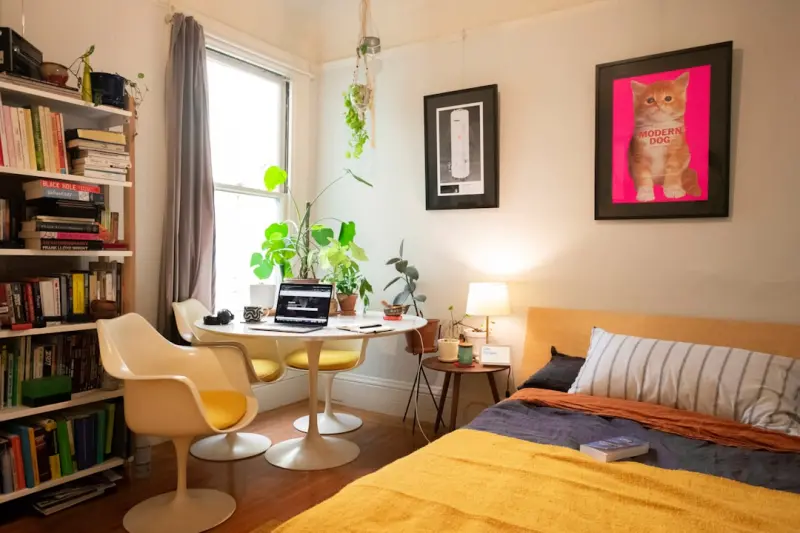
Revamp Your Sanctuary: Unconventional Home Hacks for Modern Living
A fresh take on home improvement, this guide offers actionable micro‑zone designs, acoustic soluti... Read More
Top Posts

Micro‑Moment Marketing: Winning the Consumer’s Attention in Seconds
Discover why micro‑moments matter and how to design campaigns that capture consumers in the split second they decide to act....Read More
Quantum-Ready SaaS: Future‑Proofing Cloud Applications
This article outlines a practical roadmap for SaaS leaders to become quantum‑ready, covering encryption upgrades, micro‑service redesign, talent development...Read More

From Tourist to Change‑Maker: Crafting Purpose‑Driven Journeys
Learn how to transform ordinary vacations into purpose‑driven journeys by finding authentic volunteer opportunities, respecting cultural exchange, and measuri...Read More

Nomadic Networking: Turning Transit Spaces into Business Accelerators
Learn how to leverage transit spaces and digital tools for nomadic networking, turning every layover and café visit into a strategic business opportunity....Read More
0 Comments
Post Comment
You will need to Login or Register to comment on this post!