

Why Your API Docs Need SEO—And How to Do It Right
When I first walked into a client’s developer portal, the first thing I noticed wasn’t the code samples or the tidy markdown—it was the deafening silence of search. The API documentation was a goldmine of functionality, but it was buried under a mountain of internal jargon, missing any chance of being discovered by developers searching for solutions on Google or DuckDuckGo.
In the B2B SaaS world, we spend a lot of time polishing the product experience for end‑users, yet we often forget that a huge segment of our audience lives in the “developer ecosystem.” Those developers start their journey with a search query, not a product demo. If they can’t find your API docs, they’ll move on to the competitor whose documentation surfaces in the top results.
This post is a deep dive into the overlooked art of SEO for API documentation. I’ll walk you through the mindset shift, the technical foundations, and the practical steps you can take today to turn your developer portal from a hidden treasure into a searchable, traffic‑generating asset.
The Search‑First Mindset for Developers
Developers don’t browse product catalogs; they type specific problems into a search engine. A query like “how to embed PDF in a web app with JavaScript” is a direct intent signal. If your API can solve that problem, you want that page to be the first result.
To adopt a search‑first mindset, ask yourself:
- What exact phrases would a developer use to describe the problem my API solves?
- Which parts of my documentation address those problems in a concise, step‑by‑step way?
- Am I speaking their language—using code snippets, error messages, and version numbers—rather than marketing fluff?
Answering these questions shapes the rest of the SEO strategy and ensures you’re building for the audience that actually drives product adoption.
Technical Foundations: Structured Data & Schema.org
Search engines love structured data because it helps them understand the context of a page without having to guess. For API docs, the semantic SEO engine we discussed in another post can be extended with schema.org markup.
Two schemas are particularly valuable:
- SoftwareSourceCode – Wraps code snippets, making them indexable and sometimes eligible for rich snippets.
- TechArticle – Ideal for tutorials and how‑to guides, providing fields like
keywords,datePublished, andauthor.
Example markup for a code snippet:
<script type="application/ld+json">
{
  "@context": "https://schema.org",
  "@type": "SoftwareSourceCode",
  "programmingLanguage": "JavaScript",
  "codeRepository": "https://github.com/yourcompany/yourapi",
  "codeSampleType": "full",
  "text": "fetch('https://api.yourcompany.com/v1/resource')..."
}
</script>
Embedding this JSON‑LD in the page header tells Google exactly what the snippet does, increasing the chances of a “code snippet” rich result appearing directly in SERPs.
Keyword Research for the Developer Crowd
Traditional SEO tools often prioritize consumer‑oriented keywords—think “best CRM” or “email marketing software.” For API docs, you need a more granular approach:
- Identify core functionalities. List every endpoint, method, and use case.
- Map developer intent. Turn each functionality into a query, e.g., “create webhook via API,” “OAuth token refresh example,” or “paginate results in Python.”
- Leverage community forums. Search Stack Overflow, GitHub Issues, and Reddit to see how developers phrase their questions.
- Validate volume. Use Google Trends and the “searches related to” box to confirm that the queries have enough search demand.
When you compile this list, you’ll notice a pattern: developers rarely search for brand names. They search for problems. That insight drives content creation and on‑page optimization.
On‑Page Optimization: From Titles to Code Snippets
Once you have a list of target queries, each API endpoint or tutorial should be treated as a dedicated landing page. Follow these on‑page best practices:
- Title tags—Place the exact query phrase at the beginning, e.g., “How to Create a Webhook via the XYZ API | XYZ Docs.” Keep it under 60 characters for optimal display.
- Meta descriptions—Summarize the solution in 150 characters, emphasizing the language used in the query.
- Headers (H2, H3)—Structure the content with clear, query‑aligned headings. For example,
<h2>Creating a Webhook with cURL</h2>. - Code snippets—Wrap them in
<pre><code>tags, addlang-classes for syntax highlighting, and pair each with theSoftwareSourceCodeschema. - Answer the question quickly. Place a concise solution (the “one‑liner”) within the first 100 words. Search engines love “position zero” answers.
- Internal linking. Connect related endpoints and tutorials using descriptive anchor text. This not only helps crawlers discover content but also distributes link equity throughout the portal.
Remember, developers skim. If they can’t find the answer in the first few lines, they’ll click away.
Internal Linking Strategies for a Developer Knowledge Base
Internal linking is more than just SEO housekeeping; it’s a navigation aid for developers who often hop between related endpoints. A well‑structured internal linking system can reduce bounce rates, increase time on site, and signal topical relevance to search engines.
Here’s a three‑tier approach:
- Conceptual hubs. Create pillar pages for broad topics like “Authentication” or “Data Export.” These hubs list all related endpoints and tutorials.
- Contextual links. Within each endpoint page, link to related methods (e.g., “Read,” “Update,” “Delete”) using anchor text that mirrors common search queries.
- Related articles widget. At the bottom of every doc page, surface the top three related articles based on shared tags or taxonomy.
For inspiration on building a smart knowledge base, check out When Your SaaS Knowledge Base Gets a Brain. The principles of AI‑enhanced linking apply just as well to static API documentation.
Performance Matters: Page Speed & Core Web Vitals
Developers are impatient, and search engines know it. A heavy documentation site—laden with large images, unminified scripts, and blocking resources—will suffer in rankings and user experience.
Key performance actions:
- Compress images with modern formats like WebP.
- Serve static assets via a CDN.
- Implement lazy loading for code blocks that aren’t immediately visible.
- Audit with Google PageSpeed Insights and aim for 90+ scores across all Core Web Vitals.
Fast pages not only rank higher but also increase the likelihood that a developer will stay and read through to the solution.
Link Building for API Docs: The Outreach Playbook
Earned backlinks are a strong ranking signal, even for technical docs. However, the outreach strategy for API documentation differs from typical content marketing.
Here’s a proven playbook:
- Identify target audiences. Look for blogs, developer newsletters, and tutorial sites that cover your industry niche.
- Offer value‑first content. Write a guest post that solves a problem using your API, and embed a link to the relevant doc page.
- Leverage community contributions. Publish open‑source SDKs on GitHub, and include links back to the official docs in the README.
- Participate in Q&A platforms. Answer relevant questions on Stack Overflow, always linking back to the exact doc page that solves the issue (respecting site policies).
These tactics generate high‑quality, contextual backlinks that search engines view as endorsements of relevance.
Measuring Success: SEO KPIs for API Documentation
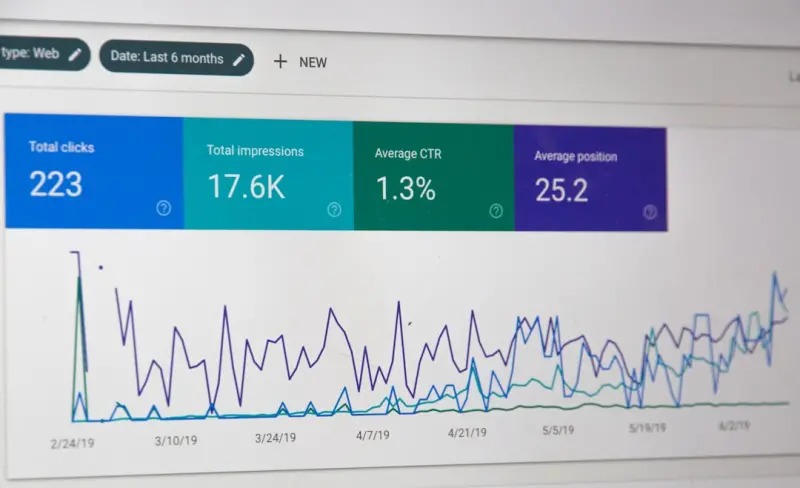
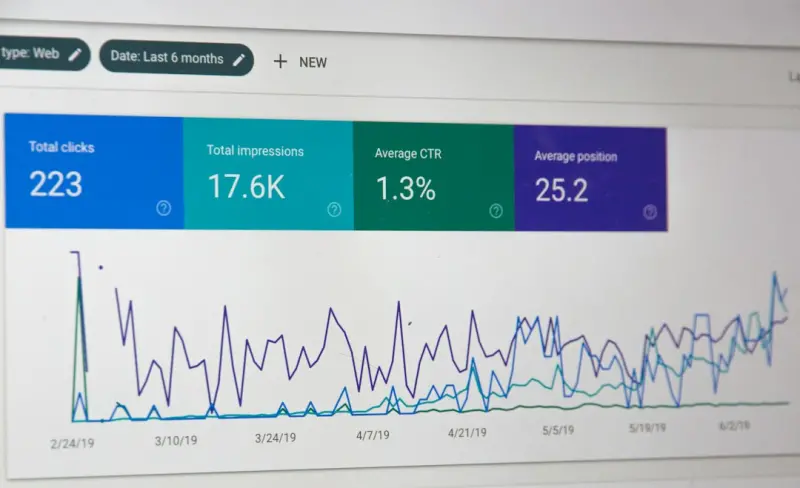
Traditional SEO dashboards focus on traffic and keyword rankings, but for API docs you need a more nuanced set of metrics:
| Metric | Why It Matters |
|---|---|
| Organic sessions to doc pages | Shows discoverability. |
| Click‑through rate (CTR) from SERPs | Indicates relevance of titles & snippets. |
| Average time on page | Measures whether developers find the answer quickly. |
| Search-to‑signup conversion rate | Tracks the impact of docs on product adoption. |
| Backlink count & domain authority of linking sites | Reflects authority and trust. |
Set up Google Search Console filters for the /docs/ path, and create custom dashboards in your analytics platform to monitor these KPIs weekly.
Future‑Proofing: Preparing for Generative Search
Search is evolving from keyword matching to AI‑driven answer generation. Large language models (LLMs) are already being used to synthesize answers from multiple sources. To stay ahead:
- Maintain high‑quality, well‑structured content. LLMs pull from the best‑ranked pages, so your docs need to be the most authoritative source.
- Provide FAQs and concise answers. Short, direct answers increase the chance of being featured in AI‑generated snippets.
- Expose an API for your own documentation. Allow external tools to pull your content, reinforcing your authority.
By treating your API documentation as a living, SEO‑optimized knowledge asset, you position your SaaS product to thrive in both traditional and generative search landscapes.
Action Plan: 7 Steps to Launch SEO‑Ready API Docs
- Audit existing docs. Identify missing metadata, lack of schema, and performance bottlenecks.
- Build a keyword map. Align each endpoint with at least one developer‑oriented query.
- Implement structured data. Add
SoftwareSourceCodeandTechArticleJSON‑LD to every page. - Optimize on‑page elements. Rewrite titles, meta descriptions, and headings to match target queries.
- Revamp internal linking. Create hub pages and contextual links as described above.
- Boost performance. Compress assets, enable caching, and verify Core Web Vitals.
- Launch outreach. Secure three high‑quality backlinks within the first month.
Follow this roadmap, and you’ll transform a hidden developer portal into a traffic‑generating engine that fuels product adoption and reduces support load.
Wrapping Up
SEO for API documentation isn’t a side project; it’s a core growth lever for B2B SaaS companies. By aligning with developer intent, embracing structured data, and treating your docs as SEO assets, you unlock a sustainable source of qualified traffic—developers who discover your API, integrate it, and become long‑term customers.
Start today: pick one endpoint, apply the steps above, and watch the organic clicks roll in. Your next wave of users is already searching; it’s time you showed up in the results.

David Moore is a freelance writer specializing in two dynamic and ever-evolving fields: gambling and the tech industry. With a keen eye for detail and a knack for unraveling complex topics, David delivers insightful and engaging content that keeps readers informed and entertained.
Related Posts
Unlocking SEO Success with Visual Search and User‑Generated Video
Learn how to harness visual search and authentic user videos to dominate SERPs, improve rankings, an... Read More

Beyond Keywords: Structured Data & AI for Sustainable SEO
Learn why traditional keyword tactics are obsolete for SaaS SEO and how combining structured data wi... Read More
Semantic SEO for B2B SaaS: Mapping Entities, Structured Data, and Voice Search
Discover a modern SEO playbook for B2B SaaS that goes beyond keywords. This guide walks you through ... Read More
Top Posts

Google Workspace’s AI‑Driven Leap: What B2B Teams Must Embrace Today
Google’s AI‑infused Workspace is reshaping B2B collaboration. This post dives into real‑world impact, strategic benefits, implementation steps, and future...Read More

How Google’s AI‑Powered Workspace Is Shaping the Future of SaaS Collaboration
Google’s AI‑enhanced Workspace suite is turning ordinary docs, sheets, and meetings into intelligent co‑pilots, accelerating product cycles, boosting data...Read More

Unlocking Google’s Hidden APIs: A SaaS Playbook for Real‑World Differentiation
A practical guide showing SaaS founders how to leverage Google Maps, Google Pay, and Cloud Run to create differentiated products, reduce friction, and accelerat...Read More

Riding Google’s AI Wave: A Human‑Centric Marketer’s Blueprint
Learn to blend Google’s AI power with authentic storytelling. This guide offers real‑world tactics, a voice‑library method, and an actionable checklist fo...Read More
0 Comments
Post Comment
You will need to Login or Register to comment on this post!