

Why Your SaaS Knowledge Base Is the SEO Secret Weapon You’ve Ignored
When most SaaS founders think about SEO they picture blog posts, backlink campaigns, and the occasional keyword‑rich landing page. I used to be the same way—until I realized that the support articles, how‑to guides, and troubleshooting docs we painstakingly build for customers are actually a gold mine for search engines. In my experience, treating the knowledge base as a living SEO asset can shift your organic traffic from trickle to torrent, without the endless content churn that most teams dread.
From “Help Center” to “Discovery Hub”
The first step is a mindset change. A knowledge base isn’t just a place to dump FAQs; it’s a discovery hub where prospects land when they search for solutions they haven’t yet heard you offer. If a user types “how to integrate X SaaS with Y platform,” and your support article appears on the first page, you’ve just captured demand before the prospect even hits your pricing page.
To make this happen you need to ask two simple questions for every piece of documentation:
- What exact problem does this article solve?
- What language does a Googler use when searching for that problem?
Answering these questions forces you to align your internal terminology with the external vocabulary of your target audience—a practice that most content teams overlook.
Semantic Clustering: The Backbone of a Scalable Knowledge Base
One of the biggest pitfalls in SaaS SEO is treating each article as an isolated island. Search engines, especially Google’s newer models, love semantic clusters—groups of interrelated pages that collectively signal expertise on a topic. By organizing your help content into logical clusters (e.g., “Onboarding”, “API Integration”, “Security & Compliance”), you give Google a clear map of your domain’s authority.
Here’s a quick framework I use:
- Identify pillar topics based on the biggest pain points your customers voice during onboarding.
- Map supporting articles that answer sub‑questions, each linking back to the pillar and to each other.
- Optimize anchor text within those internal links to reinforce the semantic signal.
This approach not only boosts rankings but also improves the user journey—readers can drill down from a high‑level overview to granular troubleshooting without ever leaving your site.
Internal Linking: The Quiet Engine That Powers Authority
Most SaaS teams focus on external backlinks, yet internal linking is the quiet engine that distributes link equity across your site. Think of it as a circulatory system: without healthy arteries (links), the vital organs (your key landing pages) won’t get the nutrients they need.
Practical tips:
- Every support article should contain at least two contextual links to other relevant docs.
- Use descriptive, keyword‑rich anchor text—avoid generic “click here” phrasing.
- Leverage breadcrumb navigation to reinforce the hierarchy of your clusters.
When done right, internal linking can lift even modestly‑performing articles into the top‑10, simply because they inherit authority from stronger pages.
Data‑Driven Content Audits: Let the Numbers Speak
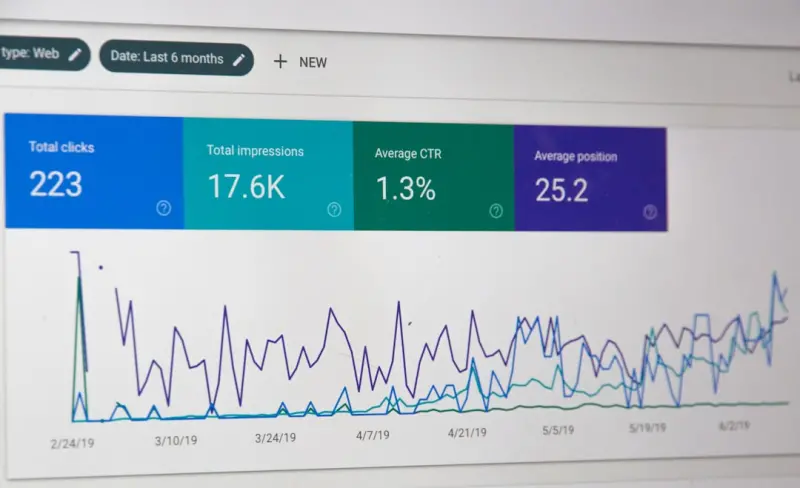
Before you start reshaping your knowledge base, run a content audit. Pull in data from Google Search Console, Ahrefs, or any SEO platform you trust, and answer these questions:
- Which support articles already rank, and for what queries?
- Where are the gaps—high‑search‑volume queries that have no corresponding doc?
- What’s the click‑through rate (CTR) for each article, and can a better title improve it?
In one of my recent projects, a simple rewrite of a 2,000‑word API guide—adding a clearer title, a concise intro, and a few strategic internal links—boosted its impressions by 78% and drove an additional 1,200 organic visitors per month.
Schema Markup: Not Just for Product Pages
You’ve probably seen articles about structured data for SaaS product pages, but applying schema to help articles is a low‑effort, high‑reward tactic. The Untapped Power of Structured Data for B2B SaaS SEO explains the basics, but here’s the quick version for knowledge bases:
- FAQ schema for question‑answer pairs—great for featured snippets.
- How‑to schema for step‑by‑step guides.
- Article schema to surface author information and publishing dates.
Implementing these snippets can dramatically increase your visibility in SERPs, especially for “answer‑box” queries that often lead to direct traffic without a click.
Mobile‑First and Core Web Vitals: The User Experience Factor
If your knowledge base loads slowly on a phone, you’ll lose both rankings and credibility. The good news? Most SaaS help centers are already built on modern tech stacks, but they’re sometimes neglected during performance optimization cycles.
Focus on three core metrics:
- LCP (Largest Contentful Paint) – ensure the main heading or hero image loads under 2.5 seconds.
- FID (First Input Delay) – keep JavaScript lightweight so users can start interacting instantly.
- CLS (Cumulative Layout Shift) – avoid content jumps by reserving space for images and ads.
When you pair fast, stable pages with high‑quality, SEO‑optimized content, you create a virtuous cycle: better rankings bring more traffic, and a superior user experience reduces bounce, signaling relevance back to Google.
Leverage User‑Generated Content for Freshness
One untapped resource is the comments and community feedback that lives on your support pages. Encourage users to ask follow‑up questions, and turn the best answers into dedicated sub‑articles. Not only does this keep content fresh—a known ranking factor—but it also adds real‑world language that Google loves.
For example, a recurring question about “OAuth token refresh limits” turned into a separate article titled “Understanding OAuth Token Refresh Limits in [Your SaaS]”. The new page captured an additional 450 monthly searches that previously fell through the cracks.
Aligning SEO with the Customer Journey
Think of your knowledge base as a series of touchpoints that map directly to the SaaS buyer’s stages:
- Awareness – Blog‑style educational articles that answer broad industry problems.
- Consideration – Deep‑dive guides comparing your solution to alternatives.
- Decision – Implementation tutorials, migration checklists, and ROI calculators.
- Retention – Ongoing troubleshooting docs and feature release notes.
By tagging each article with the appropriate stage and ensuring the internal linking reflects that flow, you guide prospects seamlessly from discovery to conversion—all while feeding Google the signals it needs to rank you for the whole journey.
Measuring Success: Beyond Traffic
Organic traffic is a useful top‑line metric, but for a SaaS knowledge base you should also track:
- Self‑service resolution rate – the percentage of support tickets avoided thanks to searchable docs.
- Lead quality – are organic visitors signing up for free trials or demos?
- Time on page – longer engagement often correlates with deeper content relevance.
When you see an uptick in these downstream metrics, you know your SEO work is not just bringing clicks, but delivering real business value.
Putting It All Together: A 30‑Day Action Plan
Ready to turn your knowledge base into an SEO powerhouse? Here’s a quick starter roadmap:
- Audit – Export a list of all help articles, pull ranking data, and identify high‑potential gaps.
- Cluster – Group articles into pillars and sub‑topics, creating a visual map.
- Optimize – Rewrite titles, add meta descriptions, and embed schema where appropriate.
- Link – Insert at least two contextual internal links per article, focusing on descriptive anchor text.
- Monitor – Set up weekly dashboards for impressions, CTR, and the self‑service resolution rate.
- Iterate – Every month, refresh the top‑performing articles with new data, screenshots, or user‑generated Q&A.
In my experience, teams that follow this cadence see measurable SEO lift within 8‑12 weeks, plus a noticeable drop in support ticket volume. It’s a win‑win that aligns perfectly with the SaaS growth mindset: do more with less.
Final Thoughts: SEO as a Customer‑Centric Discipline
SEO isn’t a siloed marketing trick; it’s a direct extension of the service you provide. When you treat every help article as a searchable piece of value, you’re not only feeding Google’s algorithms—you’re helping prospects solve problems before they even know they have one. That proactive approach builds trust, shortens sales cycles, and reduces churn—all core goals for any SaaS business.
If you’ve been focusing on blogs and backlinks alone, you’re missing out on a low‑cost, high‑impact growth lever that lives right under your roof. Start treating your knowledge base as an SEO engine, and watch the organic pipeline swell without the usual content‑creation overhead.
Further Reading
For a deeper dive into aligning search intent with SaaS growth, check out Beyond Keywords: Intent‑Centric SEO for B2B SaaS Growth. It offers a complementary perspective on how to map user intent to the right content assets.

Shawn DesRochers is a certified Microsoft technician and Programmer with 30+ year's experience. He has written many reviews on computer related products, software, and SEO related topics. When he's not writing reviews he can be found at one of the Oldest Directories Online Business Directory USA which he is the CEO of.
Related Posts

Conversational Search: Turning Real‑Time Dialogue Into SEO Gold
Learn how SaaS brands can harness conversational search to boost visibility, engage users in real ti... Read More
Sustainable SEO: Ranking Higher While Cutting Carbon Footprint
Sustainable SEO blends efficient site architecture, purpose‑driven content, and green hosting to b... Read More

SEO as a Scientific Lab: How to Run Experiments that Drive Sustainable Growth
Treat SEO like a laboratory: build hypotheses, run controlled experiments, and integrate findings wi... Read More
Top Posts

Savoring the Road: A Culinary Cartography for Modern Travelers
Explore the art of culinary cartography: a guide to recording, mapping, and sharing the flavors you encounter on the road, turning each bite into a lasting trav...Read More

How AI Can Become Your Personal Knowledge Curator
Learn how AI transforms chaotic data into a tailored knowledge curator, giving you a second brain that streamlines research, sparks ideas, and protects privacy....Read More

Riding the Google AI Wave: Rose DesRochers’ Insider Take on 2024’s Search Revolution
Rose DesRochers unpacks Google’s 2024 AI wave, exploring Gemini, MUM, and actionable SEO strategies to stay ahead in the evolving search world....Read More

Beyond Keywords: Mastering the New Landscape of Search Intent
Discover a fresh SEO framework that moves beyond keyword stuffing, focusing on micro‑, macro‑, and experience intent to create semantic clusters, win zeroâ€...Read More
0 Comments
Post Comment
You will need to Login or Register to comment on this post!