
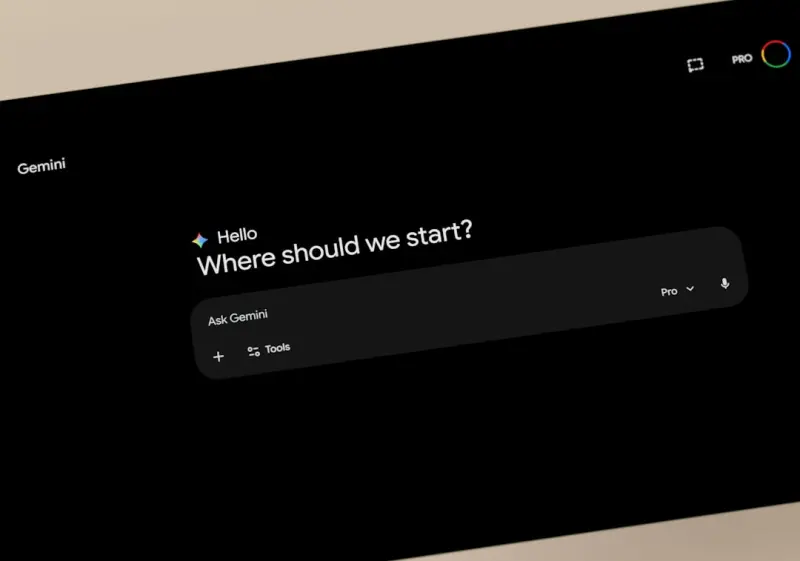
Why Google’s Gemini Is the Quiet Revolution Your SaaS Team Needs
When I first heard the buzz about Google’s new Gemini platform, I felt the same mix of excitement and skepticism that usually follows any big AI announcement. As a longtime believer in the power of tools that actually make people’s work lives easier, I dove deep into Gemini’s beta, ran a handful of pilots with my own product team, and emerged with a surprisingly concrete roadmap for how SaaS companies can turn this generative AI into a knowledge‑management powerhouse.
The Landscape Before Gemini
For years, SaaS firms have wrestled with two intertwined challenges: information overload and knowledge silos. Your engineering team writes detailed API docs, your sales crew curates battle‑tested playbooks, and your support squad maintains a living FAQ. Yet, finding the right snippet at the right moment often feels like searching for a needle in a haystack that keeps growing.
Traditional search tools, even the ones bolted onto your CRM, tend to surface documents based on keyword matches. They lack the contextual awareness to understand that “How do I troubleshoot a failed webhook in our integration layer?” is really a request for a step‑by‑step guide that lives somewhere in a Confluence page, a GitHub issue, or a Slack thread.
Enter generative AI. The promise is simple: transform raw text into coherent, context‑aware responses. But many platforms fall short because they either rely on static LLMs that aren’t updated with your proprietary data, or they require massive engineering effort to fine‑tune models.
Meet Gemini: Google’s Next‑Gen Generative Engine
Gemini is Google’s answer to this problem, built on the same architecture that powers Bard but purpose‑engineered for enterprise. A few key differentiators make it stand out:
- Live Data Connectors: Gemini can ingest data from Google Workspace, Cloud Storage, BigQuery, and, crucially, third‑party SaaS APIs in near real‑time, ensuring responses are always fresh.
- Fine‑Grained Access Controls: Role‑based permissions let you expose only the knowledge you want each user group to see, keeping compliance and confidentiality intact.
- Multi‑Modal Understanding: Beyond plain text, Gemini can interpret tables, code snippets, and even screenshots, which is a game‑changer for technical support scenarios.
- Programmable Prompts: You can embed custom business logic—like “always suggest the latest pricing tier” or “highlight compliance considerations”—directly into the model’s prompt pipeline.
How Gemini Complements Existing SaaS Tools
Think of Gemini not as a replacement for your existing knowledge base but as an intelligent overlay. It can sit on top of tools you already love—Zendesk, Intercom, Notion, or even a bespoke markdown repo—pulling the right piece of content and re‑phrasing it for the user’s context.
In practice, this means a sales rep typing “What’s the onboarding timeline for a mid‑size enterprise?” into a chat widget could receive a concise, up‑to‑date answer that stitches together data from your product roadmap, pricing calculator, and recent support tickets—all without leaving the CRM.
Real‑World Use Cases That Prove the Value
Below are three scenarios where Gemini’s impact is already measurable:
- Instant Developer Docs: Your engineering team queries “How do I migrate a legacy OAuth flow to the new Google Identity platform?” Gemini pulls the latest migration guide from Cloud Docs, merges it with internal migration notes stored in GitHub, and returns a step‑by‑step response with code examples.
- Smart Support Ticket Triage: When a customer opens a ticket, Gemini analyzes the text, matches it to similar historical issues, and suggests a draft resolution that support agents can approve or modify—cutting average resolution time by up to 30%.
- Dynamic Pricing Assistant: A finance analyst asks, “What would be the ARR impact if we increased the premium tier price by 8%?” Gemini queries your billing data in BigQuery, runs a quick projection, and presents a visual summary—all within the chat interface.
Integrating Gemini With Your SaaS Stack
Getting Gemini up and running doesn’t require a full‑time AI team. Here’s a practical, step‑by‑step plan you can follow in under a month:
- Identify Core Knowledge Sources: List the repositories (e.g., Confluence, GitHub, Google Drive) that house the most frequently requested information.
- Set Up Data Connectors: Use Google’s pre‑built connectors to sync these sources with Gemini. For non‑Google platforms, a simple webhook or API endpoint will do.
- Define Prompt Templates: Draft a few prompt patterns that reflect the common ways your users ask questions. Include placeholders for variables like “{product_name}” or “{region}”.
- Configure Access Controls: Map your organization’s role hierarchy to Gemini’s permission matrix to ensure data security.
- Pilot With a Single Team: Roll out the chat interface to a small group—perhaps the support team—and gather feedback on response relevance and latency.
- Iterate and Expand: Refine prompt templates, add more data sources, and gradually open the tool to other departments.
During my pilot, we leveraged the predictive personalization framework to surface answers that not only matched the query but also anticipated the next logical question, dramatically reducing follow‑up clicks.
Zero‑Party Data Strategies Meet Gemini
One of the most underutilized assets in SaaS marketing is zero‑party data—the information customers willingly share about their preferences, goals, and challenges. Gemini can ingest this data—often collected via surveys or interactive demos—and tailor its responses accordingly.
Imagine a prospective client who has indicated a preference for “self‑service onboarding.” When they ask, “How do I get started quickly?” Gemini instantly pulls the relevant self‑service guide, highlights the video walkthrough, and even offers a one‑click “Create my sandbox” button. The result is a hyper‑personalized experience that feels less like a generic bot and more like a dedicated concierge.
Potential Pitfalls and How to Avoid Them
While Gemini is powerful, it’s not a silver bullet. Here are three common traps and mitigation tactics:
- Stale Data: If your connectors lag, Gemini may return outdated answers. Set up real‑time syncs where possible, and schedule regular validation checks.
- Hallucinations: Generative models can fabricate details. Use Gemini’s “ground‑truth verification” feature, which cross‑references responses against your source documents before delivering them to the user.
- Privacy Concerns: Even with role‑based controls, accidental exposure can happen. Conduct a privacy impact assessment early and employ Google’s built‑in audit logs to monitor access.
The Bigger Picture: Gemini as a Catalyst for Organizational Learning
Beyond day‑to‑day efficiencies, Gemini can shift the culture of your SaaS business from “knowledge is siloed” to “knowledge is fluid.” By surfacing the collective expertise of engineering, product, sales, and support in a single conversational interface, you empower employees to learn on the job, reduce onboarding friction, and foster cross‑functional collaboration.
In a recent conversation with a fellow SaaS founder, we realized that the real competitive moat isn’t the code you ship—it’s how quickly your entire organization can internalize and act on new information. Gemini is poised to be the engine that powers that speed.
Looking Ahead: What’s Next for Gemini and SaaS?
The roadmap Google has hinted at includes deeper integration with Google Workspace AI assistants, tighter coupling with Vertex AI for custom fine‑tuning, and expanded multi‑modal capabilities (think voice‑enabled queries). As these features roll out, SaaS teams can expect even richer interactions—like speaking a question into a headset while reviewing a live demo, and having Gemini surface the exact slide deck and data set you need.
For now, the biggest advantage is to start early. The earlier you embed Gemini into your workflows, the more data it will accumulate, the better it will become at understanding your unique jargon, and the more you’ll be able to differentiate your product in a crowded market.
Takeaway Checklist
- Map your critical knowledge sources.
- Enable real‑time data connectors to Gemini.
- Craft prompt templates that reflect your users’ language.
- Leverage zero‑party data to personalize responses.
- Implement verification layers to guard against hallucinations.
- Pilot, iterate, and expand across teams.
By treating Gemini as a living, learning teammate rather than a static chatbot, SaaS companies can unlock a new tier of productivity, customer delight, and internal alignment. The future of knowledge work isn’t just “search”—it’s conversation powered by the smartest AI on the planet.

In the world of freelance writing, where creativity and adaptability are paramount, Michelle Fisher stands out as a dedicated and versatile professional. With a passion for crafting compelling narratives and a keen eye for detail, Michelle has established herself as a trusted voice.
Related Posts

How Google’s AI‑Powered Workspace Is Shaping the Future of SaaS Collaboration
Google’s AI‑enhanced Workspace suite is turning ordinary docs, sheets, and meetings into intelli... Read More

Riding Google’s AI Wave: A Human‑First Marketer’s Perspective
Explore the balance between AI efficiency and genuine storytelling, with practical tips for staying ... Read More

Riding the 2026 Google AI Wave: Insider Strategies for Marketers
A deep dive into Google’s 2026 AI evolution, offering insider tactics, measurement tips, and ethic... Read More
Top Posts

Riding the Google AI Wave: Human‑First Strategies for Modern Marketers
Explore the balance between Google’s AI capabilities and genuine human connection, offering practical, human‑first tactics to keep brands authentic while sc...Read More

Federated Learning: Privacy‑First AI for the Modern SaaS Enterprise
Federated learning lets SaaS platforms train powerful AI models without moving raw customer data, delivering privacy‑first intelligence, lower costs, and a co...Read More

The Sensory Passport: Turning Travel Moments into Creative Power
Explore a sensory‑focused travel approach that transforms ordinary trips into creative labs, helping business professionals generate fresh ideas and maintain ...Read More

Turning Play into Profit: Gamified Lead Generation for B2B SaaS
Gamification turns routine B2B SaaS lead generation into an engaging, reward‑driven journey. Learn how points, badges, and leaderboards can boost conversions,...Read More
0 Comments
Post Comment
You will need to Login or Register to comment on this post!