

Why Your Next Business Trip Should Feel Like a Co‑Working Retreat
When I first swapped my downtown office for a window seat on a mid‑flight, I realized that travel isn’t just a break from the desk—it’s an untapped catalyst for creativity. The hum of a jet engine, the rhythm of a train’s wheels, even the clatter of a café espresso machine can become the metronome of a breakthrough idea. In this piece I’ll walk you through how to deliberately shape those moments into a mobile workspace that fuels both productivity and wanderlust.
Redefining the “Office” in the Age of Mobility
Traditional office design has long been about ergonomics, branding, and proximity to colleagues. But the modern professional—especially in SaaS and B2B tech—spends a growing portion of their calendar on the road. The challenge isn’t just finding Wi‑Fi; it’s turning transient environments into places where strategic thinking thrives.
Think of every airport lounge, train carriage, or boutique hotel lobby as a modular office pod. Each space offers a unique set of constraints that, when embraced, can sharpen focus rather than dilute it. The key is to approach each location with a purpose‑first mindset: identify the specific work mode you need (deep work, brainstorming, quick sync) and then curate the environment to support it.
Step 1: Scout and Map Your “Productivity Hotspots” Before You Go
Before you book that flight, spend a few minutes researching the layover city’s coworking scene, café culture, and even library hours. A quick Google search can reveal hidden gems—think a 24‑hour bookstore with private nooks or a rooftop café with power outlets and a view of the skyline. I keep a simple spreadsheet titled “Travel‑Ready Work Zones” where I log address, Wi‑Fi speed, power availability, and noise level (quiet, moderate, bustling). This pre‑flight intel reduces decision fatigue and lets you jump straight into work upon arrival.
Step 2: Pack a Portable “Productivity Kit”
My kit is intentionally lightweight yet powerful:
- Noise‑cancelling earbuds – essential for turning a bustling terminal into a quiet study.
- Compact Bluetooth keyboard – transforms a tablet or phone into a laptop‑like experience.
- Travel‑friendly monitor (15‑inch USB‑C) – adds screen real‑estate for data‑intensive tasks.
- Power strip with USB‑C ports – ensures you’re never hunting for a free outlet.
- Foldable laptop stand – promotes ergonomics and prevents neck strain on cramped seats.
By standardizing the kit, you eliminate the need to improvise with sub‑optimal setups, which can drain mental energy.
Step 3: Leverage AI‑driven Tools for Real‑Time Itinerary Optimization
Travel logistics can eat up valuable work time, but a smart AI‑driven itinerary optimizer can turn that chaos into a streamlined flow. These tools ingest flight data, hotel check‑in times, and even local traffic patterns to suggest the most efficient sequence of meetings, work blocks, and leisure moments. The result is a day plan that feels less like a scramble and more like a well‑orchestrated symphony.
Step 4: Turn Café Ambiance into a Brainstorming Engine
There’s a subtle psychology at play when you sip a latte surrounded by strangers. The ambient chatter can spark lateral thinking, especially when you’re tackling a problem that feels stuck. I use a simple technique: set a timer for 20 minutes, write down any idea that pops up—no matter how wild—then review the list during a quiet break. The diversity of stimuli in a café often surfaces connections you wouldn’t make in a silent office.
If you’re worried about privacy, a quick screen‑privacy filter and a discreet pair of headphones can keep confidential data safe while you enjoy the creative buzz.
Step 5: Harness Visual Trip Planners for Data‑Heavy Presentations
When you need to convey a complex roadmap to stakeholders while on the road, a static slide deck can feel flat. Instead, I turn to visual trip planners—interactive dashboards that let you zoom, filter, and annotate in real time. Because you’re already in a dynamic environment, the interactive nature of the tool mirrors your surroundings, keeping the audience engaged.
Step 6: Adopt “Micro‑Focus Sessions” to Counter Travel Fatigue
Jet lag and time‑zone shifts are real productivity killers. My solution: break the workday into 45‑minute micro‑focus sessions punctuated by 10‑minute movement breaks. Use a simple timer app and during the break, stretch, hydrate, or simply watch the runway lights take off. This rhythm respects your body’s need for recovery while still delivering substantial output.
Step 7: Create a “Digital Nomad Ritual” to Anchor Your Day
Rituals provide psychological stability. For me, the ritual begins with a quick scan of the day’s agenda on my laptop, followed by a cup of locally sourced tea, and ends with a short journal entry noting three wins and one learning. The routine signals to your brain that, regardless of geography, you’re entering a productive mode.
Step 8: Leverage Eco‑Adventure Pop‑ups for Team Bonding
Even though my focus is on individual productivity, there’s value in sprinkling in collective experiences. Companies are increasingly curating short, immersive eco‑adventure pop‑ups—think a guided sunrise hike followed by a brainstorming session in a meadow. These moments break the monotony of back‑to‑back virtual meetings and foster authentic connections, which translate to smoother collaboration when the team returns to the digital workspace.
Step 9: Optimize Data Syncing Across Devices
When you’re hopping between a laptop, tablet, and phone, data fragmentation can be a nightmare. Cloud‑first platforms that support seamless sync (e.g., SaaS project boards that auto‑update across devices) eliminate the need for manual uploads. Pair this with a reliable VPN for secure access, and you maintain both speed and compliance while traveling.
Step 10: Reflect on the “Travel‑Enhanced Perspective”
One of the most underappreciated benefits of mobile work is the shift in perspective it forces. Seeing how different cultures approach problem‑solving—whether it’s a Japanese Kaizen mindset in a Tokyo co‑working space or a laid‑back design sprint in a Bali beachfront café—can inform your own product strategies. The key is to stay open, observe, and capture those insights in a portable notebook or a voice memo.
Putting It All Together: A Sample Day on the Road
Here’s a snapshot of how a typical “nomadic office day” might look for a SaaS product manager:
- 06:30 – Airport lounge: Run through AI‑optimized agenda, prioritize deep‑work tasks.
- 07:45 – Flight: Noise‑cancelling earbuds on, 45‑minute micro‑focus session drafting product specs.
- 09:15 – Arrival, quick coffee at terminal café: Brainstorm feature ideas using visual trip planner, capture notes on tablet.
- 10:00 – Hotel lobby: Sync data, respond to stakeholder emails, set up a quick 15‑minute video check‑in.
- 12:00 – Local co‑working hub: Collaborative sprint with remote teammates, leveraging the hub’s high‑speed Wi‑Fi.
- 15:30 – City park: Micro‑focus session on market research, followed by a walking break.
- 18:00 – Eco‑adventure pop‑up: Team hike, informal discussion on upcoming roadmap.
- 20:00 – Hotel room: Ritual—tea, journal entry, set next day’s priorities.
This rhythm blends structured work with the spontaneity of travel, ensuring that productivity doesn’t suffer—and often thrives—amidst change.
Final Thoughts: Embrace the Mobility Mindset
Travel, when approached intentionally, can become a powerful lever for both personal growth and business impact. By treating each waypoint as a functional office, you convert downtime into high‑value output, all while feeding your curiosity about the world. The next time you book a flight, ask yourself not just “Where am I going?” but “How will this environment shape the work I’ll do there?” The answer, more often than not, will surprise you.

Sanji Patel has dedicated 25 years to the SEO industry. As an expert SEO consultant for news publishers, he emphasizes providing both technical and editorial SEO services to news publishers worldwide. He frequently speaks at conferences and events globally and offers annual guest lectures at local universities.
Related Posts

Regenerative Travel: Turning Vacations into Vibrant Ecosystems
Explore the emerging trend of regenerative travel, where tourists actively restore ecosystems, suppo... Read More
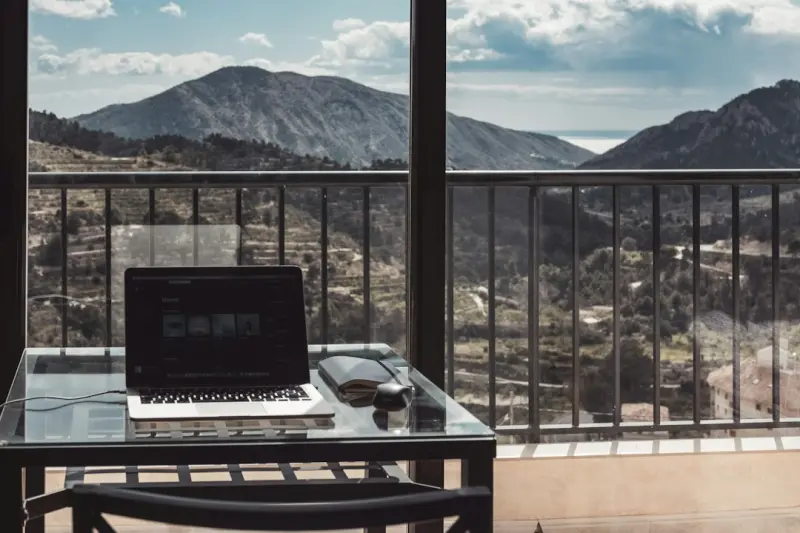
Hybrid Work Retreats: Redefining How We Travel and Produce
Hybrid work retreats merge high‑speed connectivity, curated local experiences, and purposeful coll... Read More
Why Micro‑Escapes Are the Next Travel Revolution
Micro‑escapes—brief, intention‑driven trips under three days—are reshaping how we recharge, ... Read More
Top Posts

Finding Home in the Hustle: A Journey Through Global Local Markets
From bustling spice bazaars to quiet fish stalls, I share how wandering through local markets reshapes travel, offering taste, tradition, and a path to responsi...Read More

Micro‑Frontends: Redefining the SaaS User Experience
Micro‑frontends break monolithic UIs into independent, deployable fragments, enabling faster releases, reduced technical debt, and better performance for SaaS...Read More

AI‑Powered Ideation: Turning Brainstorms into Revenue Engines
AI‑augmented ideation blends data‑driven insights with creative brainstorming, enabling B2B SaaS teams to generate, validate, and launch market‑fit concep...Read More

Riding Google’s 2026 AI Wave: An Insider Playbook for Marketers
Discover the insider strategies to master Google’s 2026 AI wave— from AI‑first content to structured data and new performance metrics—so marketers can t...Read More
0 Comments
Post Comment
You will need to Login or Register to comment on this post!