

Why Structured Data Is the Secret Weapon Every SaaS Marketer Needs
When I first started tinkering with SEO for SaaS products, I was obsessed with the classic trifecta: keywords, backlinks, and content volume. I chased rankings like a dog after a frisbee, only to realize that the real game‑changer was hiding in plain sight—right in the semantic SEO for SaaS playbook, but taken a step further. Structured data, or schema markup, is no longer an optional garnish; it’s the backbone that transforms a generic SERP listing into a rich, interactive experience that both Google and, more importantly, our target decision‑makers love.
From “Just Another Result” to “Featured Asset”
Think about the last time you Googled “B2B SaaS pricing calculator.” Did you scroll past a bland text snippet, or did you notice a slick card with pricing tiers, star ratings, and a direct “Try Now” button? That card is the product of structured data. When Google can read the “FAQ,” “Review,” or “Product” schema embedded in your HTML, it can surface those details right in the SERP, cutting out the friction between search intent and conversion.
In the SaaS world, where buying cycles are long and stakeholders are many, those micro‑interactions matter. A well‑crafted Product schema can display pricing ranges, integration options, and even a short demo video before a prospect ever lands on your site. It’s like putting a virtual concierge at the front door of your product.
How Structured Data Aligns With Search Intent
Search intent has become the lingua franca of modern SEO. Users aren’t just typing “project management tool”; they’re asking “best project management tool for remote teams with Gantt charts.” That nuance is where structured data shines. By tagging your content with FAQ schema, you can answer that exact question right in the SERP, boosting click‑through rates (CTR) dramatically.
- Informational intent: Use
FAQorHowTomarkup to surface concise answers. - Transactional intent: Deploy
ProductandOfferschemas to showcase pricing, trial periods, and key features. - Navigational intent: Leverage
Organizationschema so brand logos and social profiles appear in the knowledge panel.
When you map your schema to the specific intent behind each keyword cluster, you’re not just optimizing for Google—you’re delivering the exact piece of information the buyer needs at the exact moment they need it.
Getting Started: A Practical, Step‑by‑Step Blueprint
Below is the framework I use with my own SaaS clients, distilled into three actionable phases.
1. Audit Your Current SERP Presence
Run a simple query for your brand and primary product keywords. Note whether any rich results appear—FAQ boxes, product cards, reviews, or even “People also ask.” If you see nothing, it’s a clear signal that you have untapped potential.
Tools like Google’s Rich Results Test and Schema.org let you validate your markup quickly. I also cross‑reference with the Search Central guidelines to ensure you’re not violating any policies.
2. Choose the Right Schema Types
Not all schema is created equal. For a typical SaaS product, I prioritize:
SoftwareApplication– captures OS compatibility, license type, and feature list.Product– ideal for pricing tiers, discounts, and availability.FAQ– perfect for answering common onboarding questions.Review– aggregates user testimonials and star ratings.
When you have a knowledge base or help center, consider Article and HowTo schemas to turn long‑form guides into concise snippets that appear directly under “People also ask.”
3. Implement, Test, Iterate
Implementation can be done via JSON‑LD (the recommended method) or Microdata. I prefer JSON‑LD because it keeps markup separate from the visible HTML, reducing the risk of breaking page layouts.
{
  "@context": "https://schema.org",
  "@type": "SoftwareApplication",
  "name": "Acme Analytics",
  "operatingSystem": "Windows, macOS, Linux",
  "applicationCategory": "BusinessApplication",
  "offers": {
    "@type": "Offer",
    "priceCurrency": "USD",
    "price": "49.99",
    "priceValidUntil": "2025-12-31",
    "availability": "https://schema.org/InStock"
  },
  "aggregateRating": {
    "@type": "AggregateRating",
    "ratingValue": "4.7",
    "reviewCount": "128"
  }
}
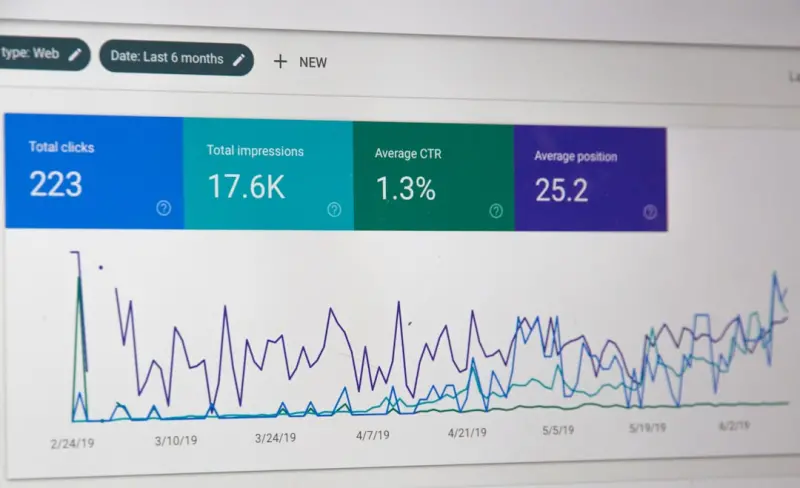
After insertion, run the Rich Results Test again. If Google reports errors, fix them promptly—Google’s bots are unforgiving. Once validated, monitor performance in Google Search Console’s “Enhancements” report. Look for spikes in impressions and CTR; those are the metrics that prove your markup is doing its job.
Beyond the Basics: Advanced Tactics for SaaS Leaders
Now that you’ve laid the foundation, let’s explore a few “next‑level” tactics that can differentiate a mature SaaS brand.
Dynamic Schema Generation
Many SaaS platforms have thousands of product pages—think pricing tiers, regional versions, or feature‑specific landing pages. Hard‑coding schema for each page is impractical. Instead, use server‑side logic (Node, Ruby, Python) to generate JSON‑LD on the fly based on your product database. This ensures data consistency and reduces maintenance overhead.
Schema for API Documentation
Developers are a key audience for many SaaS solutions. By adding TechArticle and SoftwareSourceCode schemas to your API docs, you can surface code snippets directly in search results. That not only drives organic traffic but also shortens the evaluation phase for technical buyers.
Leveraging Structured Data for International SEO
If your SaaS is global, you’ll want to serve the right language and currency in the rich results. Use the inLanguage and priceCurrency properties to signal locale‑specific information. Coupled with hreflang tags, you give Google a clear map of which version to show to which user.
Rich Results for Reviews and Case Studies
Customer success stories are gold. By embedding Review and CaseStudy schemas, you can surface star ratings and brief excerpts that act as social proof before a prospect even clicks through. I’ve seen CTR lift by 30% for pages that added authentic, schema‑tagged reviews.
Measuring Success: What to Watch in Search Console
Schema implementation isn’t a “set it and forget it” activity. The real insights come from the data Google provides.
- Impressions: A rise indicates Google is displaying your rich results more often.
- Clicks: Track the CTR lift compared to baseline non‑rich pages.
- Average Position: Rich results often push you higher on the SERP, even if the raw ranking number stays similar.
- Errors & Warnings: Resolve these ASAP; a single broken markup can suppress the entire rich result for a page.
In addition to Search Console, I love pairing this data with AI‑powered customer success insights. For example, when a prospect clicks a rich result that leads to a trial sign‑up, you can feed that event back into your CRM and trigger a personalized outreach sequence.
Common Pitfalls and How to Avoid Them
Even seasoned marketers stumble when first dabbling with structured data. Here are the top three mistakes I’ve witnessed and the quick fixes.
1. Over‑Tagging
Google penalizes spammy markup. Only mark up information that is actually visible to users. If you hide a price in a tooltip and still mark it up, you’re risking a manual action.
2. Ignoring Updates to Schema.org
Schema.org evolves. The SoftwareApplication type, for instance, added new properties for “softwareVersion” and “releaseNotes” last year. Stay current by subscribing to the schema.org changelog or setting a quarterly reminder to review your markup.
3. Forgetting Mobile‑First Considerations
Rich results render differently on mobile. Test your pages on both desktop and mobile using Google’s Mobile-Friendly Test. Ensure that the JSON‑LD isn’t blocked by your CSP (Content Security Policy) on mobile browsers.
Putting It All Together: A Real‑World Case Study
One of my recent SaaS clients, a project‑management platform targeting mid‑market enterprises, saw a 45% lift in organic trial sign‑ups after we implemented a full suite of structured data. Here’s the breakdown:
- Baseline: 2,300 monthly organic sessions, 3% CTR on key landing pages.
- After Implementation (90 days): 3,350 sessions (45% increase), 5.2% CTR on pages with rich results.
- Revenue Impact: Approx. $120k incremental ARR attributed to the SEO lift.
The secret? We combined SoftwareApplication schema for product pages, FAQ schema for the help center, and Review schema for customer testimonial pages. Each piece fed a different intent bucket, and together they created a cohesive, data‑rich SERP presence.
Takeaway: Structured Data Isn’t a Fancy Add‑On—It’s Core Strategy
If you’re still treating schema markup as a “nice‑to‑have,” you’re leaving a massive amount of searchable real estate on the table. In the hyper‑competitive SaaS arena, where every lead is hard‑earned, leveraging structured data can be the decisive advantage that turns a passive searcher into an active prospect.
Start small, iterate fast, and let the data guide your next optimization sprint. The SERP is evolving from a static list of links into an interactive discovery platform—make sure your SaaS brand is front and center, fully equipped with the rich signals search engines crave.

Shawn DesRochers is a certified Microsoft technician and Programmer with 30+ year's experience. He has written many reviews on computer related products, software, and SEO related topics. When he's not writing reviews he can be found at one of the Oldest Directories Online Business Directory USA which he is the CEO of.
Related Posts
From Docs to Discovery: Unleashing SEO Power in SaaS Knowledge Bases
Discover a step‑by‑step framework for turning SaaS documentation into organic traffic, leveragin... Read More
Mastering the New SERP Landscape: From Snippets to AI Answers
A fresh take on SEO for the AI era: learn to win featured snippets, leverage visual search, and buil... Read More

Semantic SEO for B2B SaaS: Future‑Proof Your Rankings
Semantic SEO is reshaping how SaaS brands win organic traffic. This guide walks through entity mappi... Read More
Top Posts

When SEO Becomes a Conversation: Turning Search into Real‑Time Dialogue
Explore a fresh SEO approach that turns search into a two‑way dialogue, using intent mapping, schema markup, and real‑time analytics to boost engagement and...Read More

Riding Google’s AI Wave: A Human‑First Marketer’s Playbook
Explore a human‑first approach to Google’s AI tools, balancing automation with empathy to boost conversions, brand trust, and long‑term success....Read More

SEO as Storytelling: Crafting Narrative‑Driven Search Strategies for B2B SaaS
This post reimagines SEO as a narrative arc—exposition, rising action, climax, and denouement—offering a semantic, intent‑focused strategy that aligns wit...Read More

From Desk to Destination: Crafting a Mobile Creative Studio on the Road
Discover the blueprint for building a mobile creative studio that turns airports, cafés, and mountain passes into productive workspaces, blending travel inspir...Read More
0 Comments
Post Comment
You will need to Login or Register to comment on this post!