
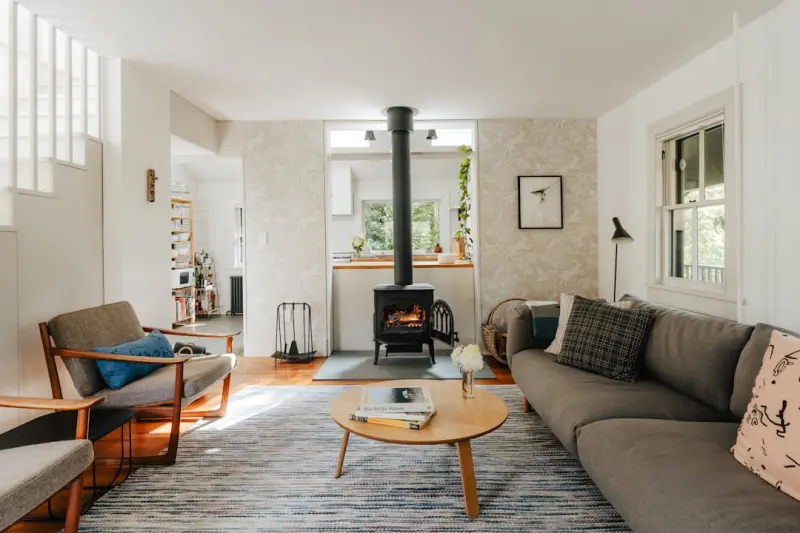
Designing a Home Sanctuary That Fuels Focus and Well‑Being
When I first swapped my cramped office cubicle for a corner of my living room, I thought the transition would be simple: just a desk, a chair, and maybe a plant. Weeks later, I discovered that a truly productive home environment is less about furniture and more about the invisible architecture of habits, lighting, and mental cues. In this post I’ll walk you through the practical tweaks that turned my chaotic kitchen table into a calm, high‑output studio—and the unexpected lessons I borrowed from the tech world to make it happen.
1. Map Your Space Like a User Journey
Before buying a new ergonomic chair, I spent an afternoon sketching the flow of my day. I asked myself: where do I start, what interrupts me, and where does I feel most energized? This mapping exercise mirrors the way product teams chart a user’s path through an app, but it’s applied to physical space. By visualizing the “entry point” (the door), the “core activity zone” (my desk), and the “recovery area” (a reading nook), I could spot friction points—like the coffee maker humming right next to my monitor, which was silently competing for my attention.
Once the layout was on paper, I rearranged the furniture to create a clear, linear flow: a welcoming entry, a focused work zone, and a distinct relaxation corner. This simple re‑routing reduced the number of times I drifted into the kitchen for a snack during deep work, and it gave my brain a visual cue that it was time to switch modes.
2. Harness Light the Way You Would a Smart Sensor
Lighting is the unsung hero of productivity. Natural daylight triggers dopamine, while harsh overhead fluorescents can drain energy. I installed a set of adjustable LED panels that mimic the color temperature of sunrise, noon, and sunset. The panels are controlled via a timer, so they gradually warm as the day progresses, gently signaling my brain to transition from focused effort to evening wind‑down.
If you’re not ready for a full smart‑lighting system, start small: place a tall floor lamp with a warm bulb on the side of your desk and a cooler, brighter light directly over your keyboard. The contrast creates a visual hierarchy—bright for task‑focused work, soft for brainstorming and reading.
For a deeper dive into the science of lighting, check out why ambient light matters for health. The article explains how subtle shifts in hue can boost alertness without the eye strain that comes from staring at a screen all day.
3. Declutter with the Same Discipline as Code Refactoring
In software, we refactor to remove redundant code and improve readability. At home, the equivalent is a “digital‑to‑physical” declutter. I started by scanning every item on my desk with my phone and categorizing them into three piles: “essential tools,” “occasional use,” and “move elsewhere.” The essential tools—my laptop, notebook, and a pen—stay within arm’s reach. Everything else gets stored in labeled drawers or hidden in a nearby cabinet.
One surprising win was moving my printer to a hallway shelf. It’s still accessible, but it no longer dominates my visual field. The result? A cleaner desktop that reduces decision fatigue every time I sit down.
4. Soundproofing Without Soundproof Walls
Most people think “soundproofing” means expensive acoustic panels. In reality, you can create a quiet oasis with simple, low‑cost tricks. A thick rug under the desk absorbs footfall and muffles the hum of the HVAC. Closed‑back headphones with active noise cancellation block external chatter, while a small white‑noise fan provides a consistent ambient sound that masks sudden interruptions.
For those who love a bit of background music, I recommend instrumental playlists—no lyrics, no distraction. The key is to keep the volume low enough that you can still hear a doorbell or a phone ring, preserving safety while protecting focus.
5. Introduce Micro‑Rituals to Reset Your Brain
Just as developers use short “stand‑up” meetings to align teams, I built micro‑rituals to reset my mental state. Every 90 minutes, I stand, stretch, and sip water from a glass I keep on my desk. After three cycles, I take a five‑minute “mindful pause”: I close my laptop, look out the window, and breathe deeply.
These brief intervals prevent the “brain‑frost” that comes from marathon screen sessions. Over time, my energy levels have become more even, and I no longer experience the inevitable crash that used to hit me after a few hours of continuous typing.
6. Leverage Technology for a Seamless Workflow
While the focus of this post is physical space, the right software can amplify the benefits of a well‑designed home office. I integrated a task manager that syncs across my phone, tablet, and laptop, so I never lose track of a to‑do when I move between rooms. I also use a digital calendar that blocks “focus time” automatically, preventing accidental meeting invites during deep‑work blocks.
For inspiration on how AI can simplify your workflow, read when AI designs your dashboard. The piece shows how intelligent design tools can auto‑arrange data, freeing you to concentrate on the creative aspects of your projects rather than the mechanics of layout.
7. Create a “Travel‑Ready” Version of Your Home Office
Even if you work from a fixed location, life throws you occasional trips—business conferences, family visits, or a weekend getaway. I built a portable “mini‑office” kit: a lightweight laptop stand, a foldable Bluetooth keyboard, a compact mouse, and a set of noise‑cancelling earbuds. All of these fit into a small backpack, allowing me to replicate my home setup wherever I go.
This portable kit also doubles as an “emergency backup” if your primary desk gets repurposed for a home renovation. Knowing you have a ready‑made workstation reduces stress and keeps productivity high.
8. Personalize With Meaningful Details
Functionality is essential, but personality fuels motivation. I added a small corkboard to pin inspirational quotes, a few family photos, and a rotating mini‑plant. The plant not only improves air quality but also provides a visual cue of growth—reminding me that progress, even slow, is still progress.
Finally, I placed a scented candle with a subtle citrus scent that I only light during creative brainstorming sessions. The scent has become a Pavlovian trigger: when I smell it, my brain automatically shifts into “idea‑generation” mode.
9. Regularly Review and Iterate
Just like a SaaS product receives user feedback and updates, my home office evolves. Every month, I spend 15 minutes walking through my space, noting any new distractions or opportunities for improvement. Maybe the rug gets worn, the lamp bulb dimmer, or a new piece of tech needs a dedicated spot. By treating the space as a living system, I ensure it continues to serve my needs rather than becoming a static backdrop.
Conclusion: The Home Office as a Growth Engine
Designing a home workspace isn’t a one‑time project; it’s an ongoing practice that blends ergonomics, psychology, and a dash of creativity. By mapping your flow, mastering light, decluttering with intention, and embedding micro‑rituals, you set the stage for sustained focus and well‑being. And when you sprinkle in a few tech‑savvy tools—like AI‑driven dashboards—you amplify the impact of your physical environment.
Take the first step today: pick one corner of your home, apply one of these tweaks, and watch how your productivity subtly shifts. The home isn’t just where you live; it can become the launchpad for your best work.

Karen Edwards is a seasoned freelance writer with a passion for all things furry, feathered, and scaled. With a dedicated focus on pets, she brings a wealth of knowledge and a keen eye for detail to her writing.
Related Posts
Brain‑Friendly Home Hacks: Light, Sound, and Space for Peak Productivity
Discover how dynamic lighting, curated soundscapes, strategic micro‑zones, and simple plant tricks... Read More

Bring the Outdoors In: Biophilic Hacks to Boost Your Home’s Energy and Mood
Explore practical biophilic design tips that transform any home into a calming, energy‑efficient s... Read More

Crafting a Signature Home Aroma: Seasonal Scent Strategies for Every Room
Learn to build a signature home aroma using seasonal scent swaps, natural ingredients, and simple DI... Read More
Top Posts
Augmented Reality SEO: Turning 3D Views into Search Gold
Learn how augmented reality is reshaping SEO and get a step‑by‑step checklist to make your 3‑D product models rank high in visual search results....Read More

Quiet Corners & Sensory Hacks for Home Harmony
Paul Flynn shares practical, low‑tech strategies to enhance light, sound, scent, and texture at home, creating quiet corners and sensory hacks that transform ...Read More

Google’s New Toolkit for B2B SaaS Growth
Explore how B2B SaaS leaders can leverage Google Cloud, Workspace automation, Vertex AI, and Maps APIs to accelerate product development, improve analytics, and...Read More

Riding Google’s AI Wave: How Marketers Can Stay Human While Scaling
Explore a human‑first approach to Google’s AI upgrades, with actionable steps to keep your brand authentic, measurable, and thriving in the new AI‑driven ...Read More
0 Comments
Post Comment
You will need to Login or Register to comment on this post!