
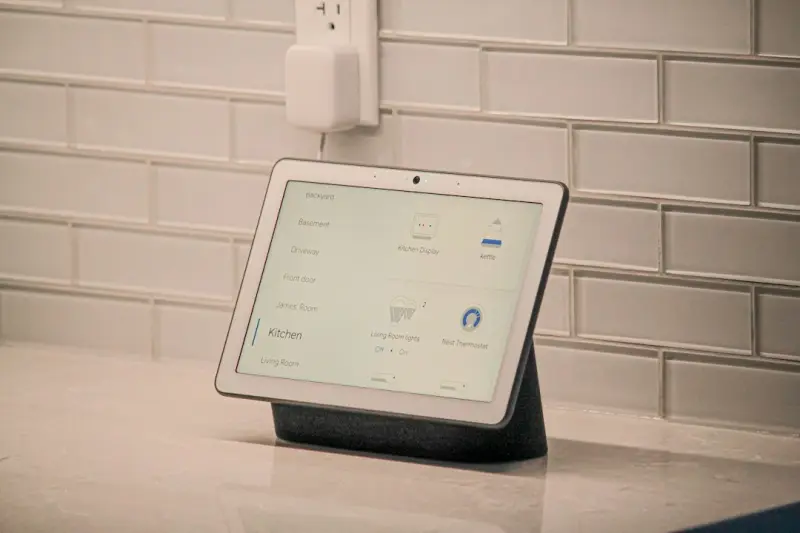
Imagine walking into your living room and feeling instantly reassured that every smart device—your thermostat, door lock, camera, and even the coffee maker—has your back, not the other way around. In today’s hyper‑connected homes, convenience can quickly turn into vulnerability if we don’t treat our gadgets with the same caution we give our front‑door keys. I’ve spent the last decade wrestling with Wi‑Fi‑enabled fridges, voice‑activated assistants, and a growing army of IoT sensors, and I’ve learned a few hard‑won lessons that can turn a potential security nightmare into a smooth, worry‑free experience. Below is my comprehensive, battle‑tested guide to safeguarding the digital side of your sanctuary without sacrificing any of the modern comforts you love.
1. Start with the Network: Your Home’s Digital Backbone
All smart devices funnel their data through your home network, so the moment you secure the router, you’ve put a solid shield around the entire ecosystem. Here’s how to fortify that backbone:
- Rename the SSID. Ditch the default name like “Linksys123” and choose something nondescript. A bland label (e.g., “FamilyNetwork”) doesn’t give away the make or model of your router, making it less attractive to opportunistic scanners.
- Upgrade to WPA3. If your router supports the latest Wi‑Fi security protocol, enable it. WPA3 encrypts traffic more robustly than its predecessor WPA2, and it includes protections against brute‑force attacks.
- Segment your devices. Create a separate guest network for IoT gadgets and keep your primary network reserved for laptops, phones, and work‑related devices. This isolation means a compromised smart bulb can’t directly sniff your banking credentials.
- Set a strong admin password. The router’s admin interface often comes with a default password like “admin” or “password.” Change it to a complex, unique phrase and store it in a password manager.
- Schedule firmware updates. Many modern routers allow automatic firmware upgrades. Enable this feature so you’re always protected against known vulnerabilities.
By treating your router like the front door to a high‑security facility, you lay the groundwork for every other device to operate safely.
2. Conduct a Device Inventory and Prioritize
It’s easy to lose track of the 30‑plus gadgets that populate a typical smart home. I recommend a quick audit to know exactly what you own, what they do, and how critical they are. Use a spreadsheet or a simple note‑taking app and record:
- Device name and model
- Manufacturer
- Firmware version
- Default credentials (if any)
- Primary function (security, convenience, entertainment)
Once you have the list, rank each device by risk. A smart lock or security camera sits at the top of the list, while a Wi‑Fi‑enabled toaster is lower on the scale. Prioritize updates and hardening steps for the high‑risk items first.
3. Change Default Credentials – The Simple Yet Overlooked Step
Manufacturers love convenience, which is why many devices ship with generic usernames and passwords like “admin/admin” or “user/password.” Hackers know these defaults and scan networks for them constantly. The fix is embarrassingly simple:
- Log into each device’s web portal or app immediately after installation.
- Replace any default usernames with something unique (avoid “admin”).
- Create a long, random password—think 16 characters with a mix of uppercase, lowercase, numbers, and symbols.
- Document the new credentials securely; a reputable password manager is ideal.
Even if a device later receives a firmware patch, unchanged defaults can still serve as an open backdoor.
4. Keep Firmware Fresh – Automation Is Your Friend
Just as you update your phone’s OS, smart devices need regular firmware upgrades to patch security holes. Unfortunately, many manufacturers make this process manual and opaque. Here’s how to stay ahead:
- Enable auto‑update. If the device’s companion app offers it, turn it on.
- Schedule a monthly check‑in. Set a calendar reminder to review the firmware version of each device.
- Subscribe to manufacturer newsletters. Some companies announce critical patches via email.
- Leverage community resources. Sites like semantic clustering communities often share alerts about emerging exploits for popular IoT products.
When you automate the process where possible, you eliminate the biggest source of vulnerability: outdated software.
5. Secure the Cloud – The Invisible Hand Behind Your Devices
Most smart gadgets rely on cloud services for remote access, voice commands, or AI processing. While convenient, this creates another attack surface. Follow these guidelines:
- Use strong, unique passwords for each cloud account. Reusing passwords across services is a recipe for disaster.
- Enable two‑factor authentication (2FA). If the provider supports app‑based 2FA (Google Authenticator, Authy), enable it. SMS‑based 2FA is better than nothing, but it’s vulnerable to SIM swapping.
- Review app permissions regularly. Some platforms grant broad access by default. Revoke any permission that isn’t essential for the device’s core function.
- Consider a dedicated email address. Create an email solely for smart‑home accounts. This isolates potential breaches from your primary inbox.
6. Adopt a “Zero‑Trust” Mindset for Voice Assistants
Voice assistants (Alexa, Google Assistant, Siri) are the most pervasive listeners in a modern home, and they often have access to calendars, contacts, and even door locks. To keep them from becoming an accidental eavesdropper:
- Mute microphones when not in use. Most devices have a physical button that electronically cuts power to the mic.
- Limit third‑party skill installations. Only enable skills from reputable developers; each added skill expands the attack surface.
- Review voice history. Periodically clear stored recordings, which can be a goldmine for data miners.
By treating your voice assistant like any other networked device—subject to the same scrutiny—you prevent it from becoming an inadvertent spy.
7. Protect Physical Access – The Overlooked Layer
Digital security is only half the battle; physical security can nullify even the best encryption. A disgruntled visitor could simply plug a rogue device into your router’s Ethernet port. Mitigate this risk by:
- Placing the router in a locked cabinet. Only trusted household members should have the key.
- Disabling unused ports. Turn off any Ethernet ports you don’t need via the router’s admin interface.
- Using tamper‑evident stickers. If a port is moved or the cabinet is opened, you’ll notice the broken seal.
8. Leverage Network‑Level Monitoring Tools
Even with all the hardening steps, a determined attacker might slip through. Network monitoring gives you a real‑time view of what’s happening behind the scenes.
- Enable built‑in traffic logs. Most modern routers can log device MAC addresses, connection times, and bandwidth usage.
- Use a dedicated monitoring app. Tools like Fing or Wireshark can alert you to unfamiliar devices joining the network.
- Set up notifications for new device connections. Some routers send push alerts whenever a new MAC address appears, giving you the chance to block it instantly.
When you catch an anomaly early, you can isolate the rogue device before it gathers sensitive data.
9. Embrace “Smart” Power Strips for a Physical Kill‑Switch
Imagine a scenario where a compromised smart plug is turning your lights on and off at odd hours. A simple solution is to use a power strip with individual switches or a “master” switch that cuts power to all connected devices simultaneously. This gives you a manual override—great for vacation homes or when you suspect a breach.
10. Future‑Proof with a Security‑First Mindset
Technology moves fast; what’s secure today could be obsolete tomorrow. The best defense is a habit of continual learning and adaptation. Here’s a quick checklist you can revisit quarterly:
- Review and update the device inventory.
- Check for firmware updates on all gadgets.
- Rotate passwords for high‑risk devices and cloud accounts.
- Audit third‑party skill permissions for voice assistants.
- Run a network scan for unknown devices.
By institutionalizing these habits, you’ll keep your home’s digital frontier as tight as its physical walls.
Bonus: Integrating Smart Security with Lifestyle Upgrades
Security doesn’t have to feel like a chore; it can blend seamlessly with the lifestyle upgrades you already love. For instance, when you’re looking to redesign your living space, consider adding portable office design tricks that double as secure workstations with built‑in VPN routers. Or, if you’re revamping lighting, choose fixtures that support secure Zigbee or Thread protocols—these standards are designed with encryption baked in from the start.
By choosing products that prioritize security out of the box, you eliminate a whole class of after‑the‑fact hardening steps. It’s the same philosophy that drives the best B2B SaaS platforms: build security into the foundation rather than tacking it on later.
In the end, a truly modern home feels like a well‑guarded sanctuary—comfortable, efficient, and, most importantly, safe from digital intruders. Implement these steps gradually; you don’t need to overhaul everything in a single weekend. Start with your router, secure your high‑risk devices, and watch your confidence grow with each layer you add. Your connected castle will thank you.

Robert Mathews is a professional content marketer and freelancer for many SEO agencies. In his spare time he likes to play video games, get outdoors and enjoy time with his family and friends .
Related Posts

Build a Home Micro‑Wellness Lab: Tiny Spaces, Big Benefits
Discover how to transform a modest nook into a personal micro‑wellness lab, using light, scent, so... Read More

5 Unexpected Ways to Refresh Your Home This Season
A fresh home doesn’t require a full remodel. Explore ten practical, research‑backed tips—like ... Read More

Creating a Multi‑Sense Retreat in Your Home
Learn how to transform ordinary rooms into multi‑sense retreats with simple lighting, sound, scent... Read More
Top Posts

Composable SaaS Architecture: Building Agility with Modular APIs
Composable SaaS architecture transforms monolithic platforms into modular, API‑driven ecosystems, enabling rapid feature delivery, resilience, and future‑pr...Read More

Surfing Google’s AI Wave: Practical Tips for Modern Marketers
Explore how to audit your tech stack, build an AI‑first content engine, and future‑proof your strategy with Google’s latest AI innovations....Read More

Unlocking SEO Success with Structured Data and Zero‑Click Strategies
Learn why structured data and zero‑click results are the new battlegrounds for SEO, and how to adapt your strategy for lasting visibility....Read More

Data Storytelling with Google Looker Studio: Turning SaaS Metrics into Action
Learn how to use Google Looker Studio to blend product, marketing, and financial data into clear, actionable dashboards that speed decision‑making and reduce ...Read More
0 Comments
Post Comment
You will need to Login or Register to comment on this post!