
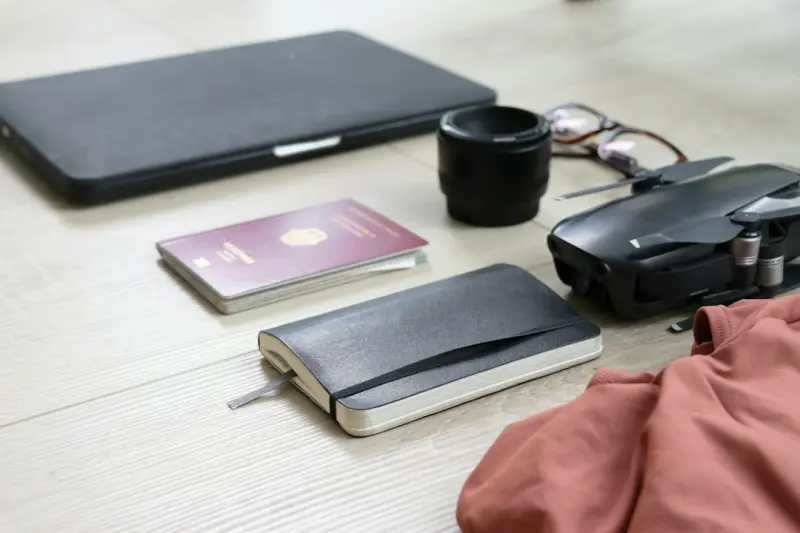
Designing a Portable Office for the Modern Travel Nomad
When the line between “office” and “anywhere” blurs, the true challenge isn’t just where you stay—it’s how you work. I’ve spent the last decade hopping between co‑working hubs in Berlin, beachfront cafés in Bali, and mountain cabins in the Rockies, constantly tweaking the setup that lets me stay productive without sacrificing the joy of travel. This post is a deep dive into the philosophy, gear, and digital tricks that turn a suitcase into a fully functional office, so you can chase deadlines and sunrise hikes in equal measure.
The Mindset Shift: From “Working From Home” to “Working From Everywhere”
Most of us start the remote‑work journey by trying to replicate the familiar home office: a desk, a monitor, a coffee mug. That approach quickly crumbles when you’re on a train with limited power outlets or in a hostel with spotty Wi‑Fi. The secret is to adopt a mobile‑first mindset—design every task, tool, and habit around the constraints and opportunities of movement.
- Embrace constraints. Limited space forces you to prioritize essential tools and discard the “nice‑to‑have” clutter.
- Leverage the environment. A quiet library can replace noise‑cancelling headphones; a sunrise view can become your daily motivation boost.
- Plan for redundancy. Always have a backup plan for power, connectivity, and data storage.
By treating the world as your office, you unlock a new kind of productivity—one that thrives on variety rather than resisting it.
Core Gear: Minimalist Yet Mighty
Below is a curated list of the hardware I swear by, each chosen for its blend of performance, portability, and durability.
- Ultra‑light laptop (13‑inch, 1‑kg, SSD). I run on a MacBook Air or a Dell XPS 13—both boast long battery life and a keyboard that feels like home.
- Portable monitor (15‑inch, USB‑C powered). The ASUS ZenScreen adds real‑estate for spreadsheet work without a heavy power brick.
- Compact keyboard & mouse. A Bluetooth foldable keyboard and a trackball mouse slip into any bag and eliminate the “laptop‑only” typing fatigue.
- Universal power bank (30,000 mAh). With Power Delivery support, it can charge my laptop twice on a single charge.
- Travel router. A pocket‑size router like the GL.iNet GL‑AR750S turns a hotel’s single Ethernet port into a private Wi‑Fi network, perfect for securing your connection.
- Noise‑cancelling earbuds. They double as a microphone for calls and a barrier against noisy cafés.
Software Stack: Cloud‑First, Sync‑Everywhere
When you’re constantly on the move, local files become a liability. The solution is a cloud‑centric workflow that ensures every document, note, and design lives in a single, accessible place. Below are the pillars of my stack:
- Collaborative suites: Google Workspace is my go‑to for real‑time editing, shared calendars, and seamless hand‑offs with clients.
- Task management: Notion acts as my brain—project boards, meeting notes, and travel itineraries all coexist in one workspace.
- Version control: GitHub for code, and semantic clustering techniques for keeping research notes searchable.
- Secure browsing: A VPN (WireGuard‑based) protects you on public Wi‑Fi, and trust layers built into modern browsers keep your sessions safe.
Designing a “Travel‑Ready” Workspace Routine
Even the best gear can’t replace a good routine. Here’s the cadence I follow, adaptable to any timezone:
- Morning power‑up (30 min): Plug in, run a quick battery check, and open a “daily dashboard” in Notion that lists top priorities, time‑zone adjustments, and a weather snapshot for the day’s location.
- Deep work block (90‑120 min): With notifications silenced, I tackle the most cognitively demanding tasks—coding, writing, designing—while the world wakes up outside.
- Local immersion (60 min): Step out for a coffee, a walk, or a quick cultural bite. This break fuels creativity and prevents the “cabin fever” that can plague remote workers.
- Collaboration window (45 min): Schedule calls with teammates using shared calendars, ensuring overlap despite time‑zone differences.
- Wrap‑up (15 min): Review what was accomplished, update task boards, and set the agenda for the next day.
This rhythm respects both the need for deep focus and the wanderlust that fuels my travel spirit.
Connectivity Hacks for the Unconnected
Even the most robust setup falters without reliable internet. Below are my go‑to tactics when Wi‑Fi is elusive:
- Local SIM cards with data plans. In most countries, a prepaid SIM offers better speeds and lower latency than hotel Wi‑Fi.
- Mobile hotspots from brands like Skyroam, which provide global LTE coverage and can power multiple devices simultaneously.
- Public libraries and coworking spaces. Many cities have free or low‑cost Wi‑Fi with power outlets, turning a quiet corner into an impromptu office.
- Offline mode: Tools like Google Docs and Notion have offline capabilities. I always sync the day before a known “no‑service” day.
Security on the Move: Keeping Business Data Safe
Travel introduces new attack vectors: rogue Wi‑Fi, lost devices, and shoulder surfing. To mitigate risk:
- Full‑disk encryption on every device. BitLocker for Windows, FileVault for macOS.
- Two‑factor authentication (2FA) everywhere, preferably using a hardware token like YubiKey.
- Zero‑trust networking: Treat every network as untrusted and verify each connection through a VPN and device compliance checks.
- Remote wipe enabled via Find My Device or similar services.
These habits protect both client data and personal information, no matter where your passport takes you.
Travel‑Centric Productivity: Turning Trips into Project Milestones
One of the most rewarding aspects of the nomadic work style is the ability to align travel experiences with professional goals. Here’s how I do it:
- Location‑based research: If I’m writing a piece on sustainable tourism, I’ll stay in an eco‑resort and interview staff on‑site. The authenticity shines through in the final product.
- Client‑centric visits: Scheduling in‑person meetups with key accounts while you’re already in the region saves time and deepens relationships.
- Creative retreats: A weekend in a mountain chalet becomes a sprint for product road‑mapping, using the natural quiet to think big.
This approach transforms “vacation days” into tangible deliverables, keeping both personal fulfillment and business metrics in sync.
Balancing Exploration with Burnout Prevention
It’s easy to fall into the trap of “always on” when your work follows you everywhere. To guard against burnout, I embed intentional downtime into my schedule:
- Digital sunset: No screens after 9 PM local time. I read a physical book or journal instead.
- Movement breaks: A 10‑minute stretch or walk every hour—especially vital when you’re seated at a desk on a train.
- Local rituals: Learning a simple phrase in the local language each week, or trying a traditional dish, anchors you in the culture and provides mental reset.
Case Study: From a Rooftop Café in Lisbon to a Product Launch
Last quarter, I was based in Lisbon for a month, working out of a bustling rooftop café overlooking the Tagus River. Using the workflow described above, I coordinated a cross‑functional team spread across three continents to launch a new SaaS feature. The key takeaways:
- Real‑time collaboration via Google Workspace kept everyone aligned despite time‑zone gaps.
- Offline editing in Notion meant we could continue drafting copy during a brief Wi‑Fi outage caused by a local festival.
- Local immersion—taking a half‑hour each afternoon to explore the city—sparked a creative metaphor that became the campaign’s tagline.
The launch was on schedule, and the team reported higher satisfaction thanks to the blend of flexibility and structure.
Future‑Proofing Your Nomad Office
Technology evolves fast, and today’s perfect setup may feel archaic in a few years. To stay ahead, keep an eye on emerging trends that will reshape remote travel work:
- Edge computing devices that run heavy analytics locally, reducing reliance on cloud bandwidth.
- AR‑enhanced workspaces that overlay digital whiteboards onto any surface, turning a coffee table into a brainstorming hub.
- Satellite internet constellations (e.g., Starlink) that promise near‑global high‑speed coverage, eliminating the “no‑service” zones.
By adopting a modular mindset—choosing tools that can be swapped or upgraded—you’ll ensure your nomadic office remains cutting‑edge without a massive overhaul.
Wrapping Up: Your Next Step
Designing a portable office is less about buying the latest gadgets and more about crafting a resilient, adaptable workflow that respects both your professional obligations and your wanderlust. Start small: pick one piece of gear you’ve been overlooking, set a daily routine, and test it on your next short trip. The results will surprise you—productivity will rise, stress will fall, and you’ll discover a new dimension of freedom that only a truly mobile office can deliver.

David Moore is a freelance writer specializing in two dynamic and ever-evolving fields: gambling and the tech industry. With a keen eye for detail and a knack for unraveling complex topics, David delivers insightful and engaging content that keeps readers informed and entertained.
Related Posts

When the Road Becomes a Lab: Turning Travel Into Product Innovation
Explore how travel can serve as a real‑world laboratory for SaaS product innovation, with actionab... Read More

Navigating the World with Neurodiversity: Sensory‑Friendly Travel Hacks
Explore a comprehensive guide filled with sensory‑friendly planning, transportation tactics, accom... Read More

Turning Layovers into Mini‑Adventures: The New Frontier of Experiential Travel
Layovers are no longer just waiting periods. Discover how to turn short airport stops into immersive... Read More
Top Posts

When AI Becomes the Silent Scribe: Transforming Meetings into Momentum
Explore how AI-powered meeting assistants turn raw conversations into structured, searchable knowledge, delivering time savings, faster decisions, and better al...Read More

Edge Computing: The Quiet Revolution Powering Next‑Gen SaaS
Edge computing moves processing closer to data sources, delivering instant, context‑aware experiences. This post outlines the benefits, architecture, real‑w...Read More

Rewire Your Wellness: The Secret Power of Tiny Daily Rituals
A fresh look at how micro‑habits—simple, repeatable actions—can reshape your wellbeing, increase vitality, and make lasting health improvements feel effor...Read More

Beyond Clicks: Crafting Hyper‑Personalized Journeys in B2B Digital Marketing
Hyper‑personalization is reshaping B2B digital marketing. By unifying intent data, orchestrating omnichannel touchpoints, and delivering dynamic content, mark...Read More
0 Comments
Post Comment
You will need to Login or Register to comment on this post!