

When the line between work and life blurs inside four walls, the home becomes both a sanctuary and a pressure cooker. The modern professional craves a space that fuels focus, supports wellness, and still feels lived‑in—not a sterile office clone. Below is a step‑by‑step guide to creating a multi‑functional home hub that maximizes productivity while preserving the comfort of home. No major construction, just thoughtful tweaks that any busy household can implement.
1. Map Your Flow, Not Just Your Floorplan
Before you buy a new desk or install a fancy light fixture, take a mental walk through a typical day. Where do you start? Where do you need a break? Where does distraction creep in? Sketch a simple diagram on a napkin: work zone → quick‑reset zone → focus‑deep zone → unwind zone. This mental mapping is the backbone of a functional hub because it respects the natural ebb and flow of attention.
- Work zone: Your primary desk, laptop, and essential tools.
- Quick‑reset zone: A spot for a 5‑minute stretch or a hydration break.
- Focus‑deep zone: A quieter corner for tasks that demand undivided concentration.
- Unwind zone: A place to transition out of work, ideally with a different visual cue (e.g., a plant wall or a cozy chair).
By visualizing these micro‑zones, you avoid the trap of a single “one‑size‑fits‑all” desk that tries to be everything at once. If you need inspiration on how tiny corners can become powerhouses, check out micro‑zoning tricks for more ideas.
2. Light the Way: Ambient, Task, and Accent Layers
Lighting is the silent productivity booster that most people overlook. The key is layering:
- Ambient lighting: A soft, even glow that reduces eye strain. Warm LED panels or dimmable floor lamps work well.
- Task lighting: Adjustable desk lamps with a color temperature of 4000‑5000K to keep you alert during focused work.
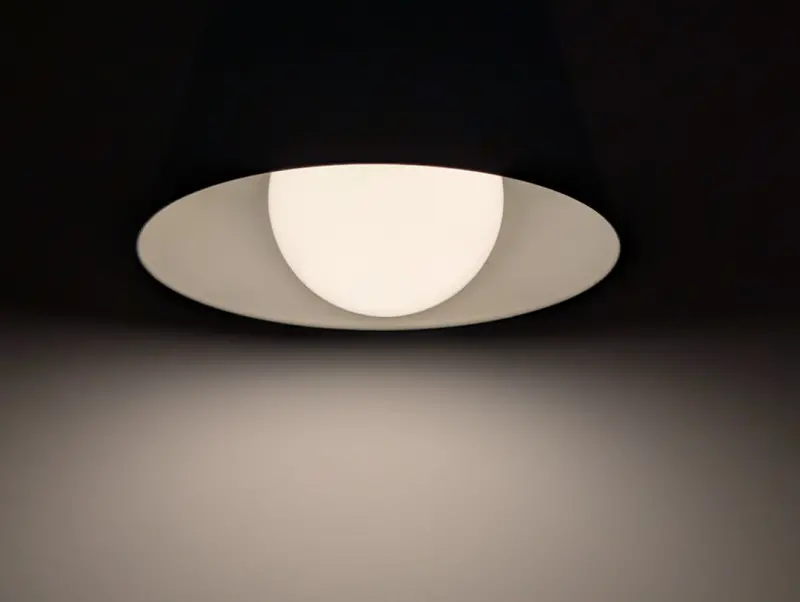
- Accent lighting: Small LED strips or a statement pendant that signals a shift—like turning on a calming hue when you move to the unwind zone.
Invest in smart bulbs that you can program via voice or an app. Schedule a “focus” scene in the morning and a “relax” scene at sunset. The subtle cue of changing light can train your brain to transition smoothly between work and rest.
3. Acoustic Comfort Without Soundproofing
Noise is the most common productivity killer at home. While full soundproofing is costly, a few strategic moves can dramatically lower background chatter:
- Soft surfaces: Add a thick rug, heavy curtains, and upholstered chairs. These absorb sound waves.
- Acoustic panels: Decorative foam or fabric panels can be mounted on the wall behind your desk. They look like art and mute echo.
- White‑noise machines: A low‑volume fan or a dedicated white‑noise device can mask sudden interruptions.
Combine these with the natural hush of a well‑placed bookshelf—books not only look good but act as sound diffusers.
4. Ergonomic Essentials That Don’t Break the Bank
Spending hours at a makeshift desk can lead to neck, back, and wrist issues. Here’s how to upgrade ergonomics without splurging on a high‑end office suite:
- Adjustable laptop stand: Elevates the screen to eye level, reducing neck strain.
- External keyboard and mouse: Keep wrists neutral; a compact mechanical keyboard is a good investment.
- Seat cushion: A memory‑foam cushion can transform a regular chair into an ergonomic seat.
- Footrest: Even a simple wooden block can improve posture by aligning hips and knees.
Test each element for comfort. Small adjustments compound into big health benefits over weeks and months.
5. Declutter Digitally and Physically
A cluttered environment mirrors a cluttered mind. Adopt a dual‑approach decluttering routine:
- Physical declutter: Use the “one‑in, one‑out” rule for office supplies. Keep only items you use daily on the desk; store the rest in labeled bins.
- Digital declutter: Organize files into a clear folder hierarchy, and archive old emails. A clean desktop reduces visual noise.
Consider a weekly “reset” ritual—15 minutes to tidy the work zone and empty the trash can. Consistency prevents the slow creep of chaos.
6. Smart Storage Solutions for a Seamless Look
Storage doesn’t have to be an eyesore. Choose pieces that blend with your décor while keeping essentials within reach:
- Floating shelves: Install above your desk for books, binders, or decorative items.
- Multi‑functional furniture: A bench with hidden compartments can store cables and chargers.
- Rolling carts: Move them between zones as needed—perfect for a quick‑reset zone where you might need a water bottle and a notebook.
Smart storage encourages you to keep the hub tidy, reinforcing the mental association of order with productivity.
7. Integrate Wellness Touchpoints
Even the most diligent worker needs micro‑breaks to sustain performance. Embed wellness cues directly into your hub:
- Hydration station: A sleek water pitcher on the quick‑reset zone reminds you to sip regularly.
- Stretch guide: Post a small laminated card with five 30‑second stretches near your desk.
- Green view: If you can’t host a full plant collection, a framed nature photograph can provide a visual break.
These low‑effort additions keep your body and mind refreshed without pulling you away from the workflow.
8. Personalize with Meaningful Details
Personal touches transform a functional space into a place you actually enjoy. Choose items that inspire you but aren’t distracting:
- Artwork: A single piece that reflects a personal passion can serve as a visual anchor.
- Color accents: Use a bold desk mat or a vibrant mousepad to add energy without overwhelming the palette.
- Sentimental objects: A small trophy or a travel souvenir on a shelf can spark positive memories.
The goal is subtle motivation, not visual clutter.
9. Leverage Energy‑Smart Home Features
Even without a full renovation, you can infuse your hub with energy‑smart ideas that lower utility costs and enhance comfort. Smart plugs, programmable thermostats, and motion‑activated lights can all be set to align with your work schedule. For a deeper dive into integrating these technologies, see energy‑smart home ideas. These tweaks not only save money but also reduce the mental load of remembering to turn things on or off.
10. Test, Iterate, and Celebrate Small Wins
Designing a home hub isn’t a one‑off project; it’s an evolving process. After you implement the first round of changes, spend a week tracking:
- How often you feel distracted.
- Physical discomfort (neck, back, wrists).
- Energy levels throughout the day.
Use a simple spreadsheet or a note‑taking app to log observations. Identify what works and what needs tweaking. Celebrate improvements—maybe you reduced midday fatigue by 20 % or cut the number of coffee spills by half. Recognizing progress reinforces the habit of continuous refinement.
Putting It All Together: A Sample Day in Your New Hub
7:30 am – Light Cue: Your smart bulbs shift to a cool “focus” tone as you sit down, signaling the brain to wake up.
8:00 am – Work Zone: You’re at the adjustable laptop stand with an external keyboard, posture aligned thanks to the footrest and cushion.
9:30 am – Quick‑Reset Zone: A 5‑minute stretch guided by the card on your desk, followed by a sip from the hydration station.
11:00 am – Focus‑Deep Zone: You move to the quieter corner, acoustic panels humming softly, and dive into a demanding task without interruption.
12:30 pm – Unwind Zone: The lights transition to a warm amber hue, you sit on the cozy chair, glance at the nature photo, and mentally shift away from work.
By the day’s end, you’ve moved seamlessly between zones, each transition reinforced by visual, auditory, and tactile cues. The result? Higher output, fewer aches, and a genuine sense of balance.
Creating a focus‑fueling home hub isn’t about buying the most expensive gear; it’s about orchestrating light, sound, ergonomics, and personal meaning into a harmonious flow. Start small, iterate often, and watch how your home transforms from a backdrop into a productivity catalyst.

David Moore is a freelance writer specializing in two dynamic and ever-evolving fields: gambling and the tech industry. With a keen eye for detail and a knack for unraveling complex topics, David delivers insightful and engaging content that keeps readers informed and entertained.
Related Posts

Unlocking Hidden Comfort: Fresh Home Tips for a More Inviting Space
Explore fresh, practical home tips—from entryway upgrades to natural cleaning hacks—that transfo... Read More

Recharging Your Home: 10 Unconventional Tips for Everyday Bliss
Learn how to turn your home into a daily recharge hub with soundscapes, scent, smart lighting, micro... Read More
Brighten and Quiet Your Home: Simple Light and Sound Hacks for Everyday Comfort
Learn how to amplify natural light, upgrade artificial lighting, and silence unwanted noise with sim... Read More
Top Posts

AI‑Driven Nutrition for Remote Workers
Remote workers often neglect nutrition, leading to energy crashes and long‑term health risks. This article explores how AI can create personalized, dynamic me...Read More

Audio‑First Marketing: How B2B SaaS Can Harness Sound to Drive Growth
Audio‑first marketing offers a high‑engagement, low‑friction way to reach enterprise buyers. This post explores podcast series, voice‑assistant skills, ...Read More

Harnessing Generative AI for Real‑Time Creative Campaigns
Explore the rise of generative AI in marketing, its impact on speed, brand consistency, and ethical storytelling, and see real‑world examples of brands master...Read More

When Your Brain Needs a Personal Trainer: Building a Daily Mental Fitness Routine
Learn how to treat your mind like a muscle with a structured mental‑fitness routine, leveraging simple habits, privacy‑first tech, and team‑wide practices...Read More
0 Comments
Post Comment
You will need to Login or Register to comment on this post!