

Why Google Workspace’s AI is the Quiet Engine Behind SaaS Success
When I first walked into a client’s office and saw a wall of sticky notes, whiteboards scribbled with “TODO” lists, and a dozen tabs open on every monitor, I knew I was looking at the classic symptom of “information overload.” Fast‑forward a few months, and the same team is now running a smooth onboarding flow that feels almost frictionless. The catalyst? A handful of AI‑powered tricks baked right into Google Workspace.
The Myths Holding SaaS Teams Back
Before we dive into the practicalities, let’s bust a few myths that keep many SaaS companies from embracing the full potential of Google’s ecosystem:
- Myth 1: AI is only for data scientists. The reality is that Google’s AI sits in the tools you already use—Gmail, Docs, Slides, and Meet. No PhD required.
- Myth 2: AI will replace human judgment. It’s more of a “co‑pilot” that surfaces insights, drafts, and actions, letting people focus on strategic decisions.
- Myth 3: Deploying AI means a massive IT overhaul. Google’s AI features are cloud‑native, meaning you get updates automatically without touching a server.
Three Google Workspace AI Features You’re Probably Ignoring
Most SaaS teams use Google Docs for collaboration and Gmail for communication, but the AI enhancements hidden in those products often go unnoticed. Here’s what you should be leveraging right now:
1. Smart Compose & Smart Reply in Gmail
Imagine a sales rep who spends half an hour each day crafting follow‑up emails. With Smart Compose, the system predicts the next few words based on your writing style and the context of the conversation. Smart Reply does the heavy lifting for short, actionable replies. The result? Faster cycles, less cognitive fatigue.
But there’s a pro tip: enable the “Personalized suggestions” toggle and feed the model with your most successful email templates. Over time, Gmail learns the language that converts and starts surfacing those phrases automatically.
2. AI‑Generated Meeting Summaries in Google Meet
Every product demo or sprint retrospective generates a mountain of notes. Google Meet now offers AI‑generated summaries that capture decisions, action items, and key metrics discussed. No more frantic scribbling or post‑meeting “what‑did‑we‑decide?” emails.
Integrate these summaries directly into a shared Google Doc or a project board (like ClickUp or Asana) using a simple Zapier workflow. Your entire team instantly sees what’s on the radar without a separate follow‑up meeting.
3. Data Studio (Looker Studio) Assisted Insights
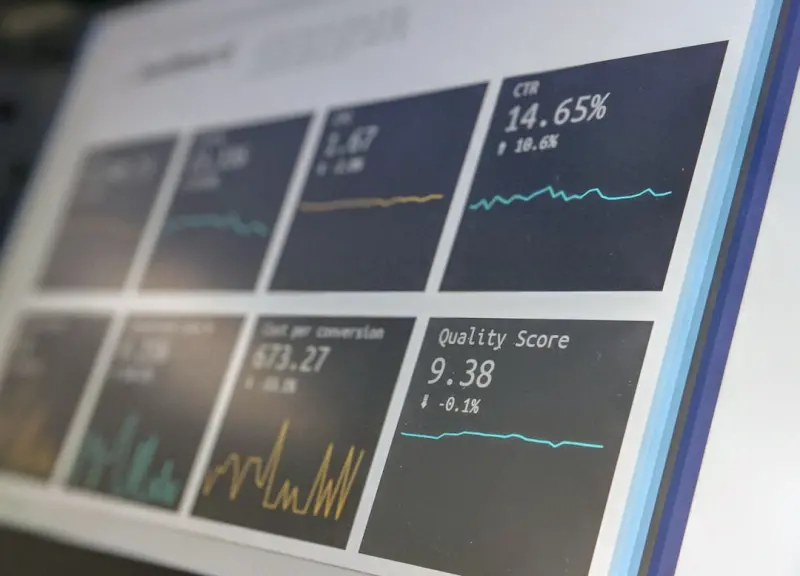
While many SaaS companies already use dashboards in Power BI or Tableau, Google’s Looker Studio now provides AI‑driven “insight cards” that automatically flag anomalies, highlight emerging trends, and suggest possible root causes. It’s like having a data analyst whispering in your ear as you scroll through churn metrics.
Hook it up to BigQuery or even a CSV export from your SaaS product, and you’ll start receiving nudges such as “User activation dropped 12% this week – possible cause: new onboarding flow released on Tuesday.” Those nudges become the first line of defense against hidden problems.
Putting It All Together: A Day in the Life of a “AI‑Assisted” SaaS Team
Let’s walk through a typical day for a product manager, a marketer, and a support lead—all powered by Google Workspace AI.
Morning: Inbox Zero, Reinvented
Emma, the product manager, opens Gmail. Smart Compose finishes her reply to the design lead, “Looks great—let’s add a tooltip for the new pricing tier.” She clicks “Send,” and the system auto‑schedules a 15‑minute sync in Google Calendar based on both participants’ availability. No manual scheduling required.
Mid‑Morning: Meeting that Writes Itself
At 10 am, the team hops onto Google Meet for a sprint review. As they discuss the new feature flag rollout, the AI captures every decision: “Feature flag will be toggled for beta users on Friday; monitor error rate < 0.5%.” Once the call ends, the AI‑generated summary lands in a shared Google Doc, and a Zap automatically creates a task in the team’s project board with the due date and owner already attached.
Afternoon: Data‑Driven Decision Making
Lucas, the growth marketer, opens a Looker Studio dashboard. The AI insight card flashes: “Conversion rate from free trial to paid dropped 8% this week – correlation detected with the latest email campaign subject line.” Lucas clicks the suggestion, which opens a draft email in Gmail pre‑populated with a new subject line generated by the AI based on high‑performing past campaigns. He sends it with a single click.
Late Afternoon: Support Gets Smarter
Meanwhile, Maya in support receives a ticket that mentions a recurring “error 502” after the recent deployment. As she types a response, Smart Reply offers a concise solution that references the latest release notes stored in Google Docs. She selects it, adds a personal touch, and the ticket is resolved in minutes.
Scaling AI Benefits Across Your SaaS Organization
It’s tempting to think these AI tricks are only useful for early‑stage teams, but the truth is they scale beautifully as your organization grows. Here’s how to make the most of them:
- Standardize Prompt Libraries. Create a shared Google Sheet where teams store prompts that have proven effective—like “Draft a follow‑up email for a trial user who hasn’t logged in for three days.” Anyone can copy‑paste, ensuring consistency.
- Govern AI Outputs. Use Google Admin controls to define who can access AI features and to monitor usage. This keeps the model’s suggestions aligned with compliance and brand guidelines.
- Iterate on Feedback Loops. Encourage users to flag inaccurate suggestions. Those flags feed back into the model, improving accuracy over time.
- Bridge with Third‑Party Tools. Pair Google Workspace AI with your existing SaaS stack through APIs or integration platforms. For example, feed AI‑generated meeting notes into a CRM like HubSpot, auto‑logging interaction history.
Measuring the ROI of Google Workspace AI
Data‑driven leaders ask, “What’s the tangible impact?” Here are three metrics you can track:
1. Time Saved on Communication
Calculate the average time spent composing emails before and after enabling Smart Compose. Teams often see a 20‑30% reduction in drafting time, translating to hours saved each week.
2. Decision‑Making Velocity
Measure the lag between a meeting and the execution of its action items. AI‑generated summaries can cut that lag from days to minutes, especially when tasks are auto‑created in project tools.
3. Insight‑Driven Revenue Gains
Track the impact of AI‑suggested insights on conversion or churn metrics. A modest 5% uplift in conversion, driven by AI‑refined email subject lines, can represent a significant revenue bump for a SaaS business.
Potential Pitfalls and How to Avoid Them
Even the best tools can trip you up if you’re not careful. Here are common traps and quick fixes:
- Over‑reliance on AI. Use AI as a catalyst, not a crutch. Always have a human verify critical decisions, especially around pricing or legal language.
- Data Privacy Concerns. Ensure your organization’s data retention policies align with Google’s handling of AI‑generated content. Use the “confidential mode” in Gmail for sensitive drafts.
- Model Drift. AI models can become stale if they aren’t fed fresh context. Regularly refresh your prompt libraries and train the model with recent examples.
Getting Started: A 5‑Step Playbook
Ready to unleash Google Workspace AI for your SaaS team? Follow this quick playbook:
- Audit Your Current Workflow. Identify repetitive tasks—email drafting, meeting note‑taking, data analysis.
- Enable AI Features. Turn on Smart Compose, Smart Reply, and Meet summarization in the admin console.
- Set Up Integration Pipelines. Use Zapier, Make, or native Google Apps Script to push AI outputs into your core tools.
- Train Your Team. Host a 30‑minute lunch‑and‑learn session showing real‑world examples.
- Measure & Iterate. Track the three ROI metrics above and adjust prompts and integrations every quarter.
The Bigger Picture: Google’s Vision for AI‑First Collaboration
Google isn’t just sprinkling AI on its products as an afterthought; it’s re‑architecting collaboration around “AI‑first” experiences. By embracing these capabilities early, SaaS companies position themselves to ride the next wave of productivity gains—before competitors even notice the shift.
In short, Google Workspace AI isn’t a fancy add‑on; it’s a strategic lever that can shave hours from daily routines, surface hidden insights, and keep your team aligned without the endless back‑and‑forth of email. As the SaaS landscape gets more crowded, that extra efficiency can be the differentiator that turns a good product into a market leader.

Shawn DesRochers is a certified Microsoft technician and Programmer with 30+ year's experience. He has written many reviews on computer related products, software, and SEO related topics. When he's not writing reviews he can be found at one of the Oldest Directories Online Business Directory USA which he is the CEO of.
Related Posts

Riding Google’s AI Wave: A Human‑First Marketer’s Perspective
Explore a human‑first approach to Google’s AI wave, balancing data‑driven insights with authen... Read More

Riding Google’s AI Wave: A Marketer’s Personal Playbook
A marketer’s deep dive into Google’s AI—how it reshapes workflow, reveals hidden pitfalls, and... Read More

Google’s 2026 AI Revolution: What Marketers Must Seize Now
In 2026 Google’s AI overhaul is redefining search, ads, and content creation. Learn insider strate... Read More
Top Posts

Beyond the Tourist Trail: How Data‑Driven Curiosity Is Redefining Modern Travel
Travel is evolving beyond static itineraries; data‑driven tools, adaptive lighting, and nature‑enhanced suggestions empower modern explorers to craft person...Read More

Turn Your Home Into an Energy‑Smart Hub Without Breaking the Bank
A practical guide that blends habit changes, budget‑friendly smart devices, and simple audits to transform any home into a low‑cost, energy‑smart hub....Read More

AI as the Hidden Mentor: Turning Data Into Everyday Guidance
AI isn’t just a tool—it can be a hidden mentor that nudges teams, personalizes upskilling, and streamlines compliance, turning data into everyday strategic ...Read More
Observability as a Service: Turning Data Noise into Strategic Insight
Observability as a Service converts raw metrics, logs, and traces into a unified, AI‑driven narrative, empowering SaaS teams to ship faster, reduce downtime, ...Read More
0 Comments
Post Comment
You will need to Login or Register to comment on this post!